Web Design & Digital Growth | 📞 07821 004213 | Open 24/7

How to Fix a Soft Suspension on Google Business Profile
Fix a soft Google Business Profile suspension step by step. Learn what to fix, when to appeal, and how to avoid rejection.
Toufik Beladi
12/17/20255 min read
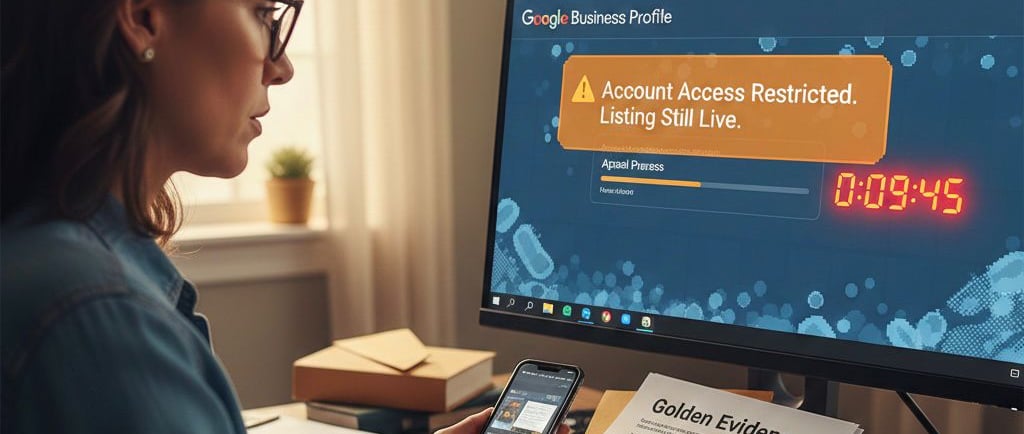
If your Google Business Profile is still visible on Google Search or Maps but you suddenly can’t manage it, can’t edit details, or see warnings inside the dashboard, you are likely dealing with a soft suspension.
This guide explains exactly how to fix a soft suspension on Google Business Profile, step by step. It focuses on what to do, in what order, what mistakes delay reinstatement, and how to avoid turning a soft suspension into a hard one.
This is not a policy summary. It is a practical recovery guide.
What a soft suspension actually means
A soft suspension means Google has restricted management access to your Business Profile but has not fully removed the listing from Search or Maps.
In most cases:
Your business may still appear publicly
Reviews usually remain visible
Customers can still find you
But you cannot control or update the profile properly
This is different from a hard suspension, where the listing disappears entirely.
Soft suspensions are usually triggered by data trust issues, not outright spam.
Common signs you have a soft suspension
You are likely soft suspended if one or more of the following apply:
You cannot edit business information
You cannot respond to reviews
You see warnings or limited access in the GBP dashboard
Verification options disappear
The profile appears live, but management tools are restricted
Google asks for an appeal even though the listing still shows publicly
Correctly identifying a soft suspension matters, because the recovery process is different from a hard suspension.
Why soft suspensions happen (at a high level)
Soft suspensions are usually caused by inconsistencies, not fraud.
Common triggers include:
Business name edits that add keywords
Address or service-area changes
Switching categories too often
Conflicting information between GBP and your website
Address eligibility problems (especially home or virtual setups)
Repeated profile edits in a short time
Account-level trust issues with the owner or manager account
At this stage, Google is effectively saying:
“We are not confident this data is accurate. Prove it and stabilise the profile.”
Step 1: Confirm it is truly a soft suspension
Before doing anything else, confirm all of the following:
The business still appears on Google Search or Maps
Existing reviews are still visible
Customers can still see basic information
The dashboard shows limited or blocked management access
If the listing is completely gone, this guide does not apply.
If you confirm it is a soft suspension, do not rush to appeal yet.
Step 2: Freeze all unnecessary edits immediately
One of the biggest mistakes businesses make is continuing to edit the profile while it is soft suspended.
Do not:
Change the business name again
Add categories
Change the address repeatedly
Toggle service-area settings back and forth
Add new managers or owners
Every additional edit can:
Reset trust signals
Delay review
Or escalate the issue into a hard suspension
The goal at this stage is stability, not activity.
Step 3: Audit the profile for compliance (quietly)
Without making changes yet, review the profile carefully.
Check these areas:
Business name
Must match the real-world business name
No extra services
No locations
No marketing terms
Address or service area
If showing an address, it must be staffed during stated hours
If you are a service-area business, the address should usually be hidden
Service areas should reflect reality, not keyword coverage
Primary category
Must reflect what the business actually does
Overly broad or misleading categories raise flags
Website alignment
Business name, phone number, and location on the website must match the profile
Contact page must look real and complete
Take notes, but do not fix everything at once yet.
Step 4: Fix only what is clearly wrong (minimum edits)
Now make only the essential corrections needed for compliance.
This usually means:
Removing keywords from the business name
Correcting an ineligible address setup
Hiding a home address and switching to service-area rules if appropriate
Ensuring the website matches the profile exactly
Important rule:
Make the fewest possible changes needed to become compliant.
Once corrected, stop editing again.
Step 5: Check the Google account, not just the profile
This step is often missed and causes repeated appeal failures.
Check:
Is the primary owner’s Google account in good standing?
Are there unnecessary managers added?
Has any manager been involved in spammy listings elsewhere?
Is two-factor authentication enabled?
Soft suspensions can persist if account trust is weak, even if the business itself is legitimate.
Clean ownership and management matter.
Step 6: Wait briefly before appealing (yes, wait)
After making essential fixes, wait 24 to 72 hours before submitting an appeal.
Why this matters:
Google systems need time to process corrections
Immediate appeals often fail because data hasn’t stabilised yet
This short pause improves approval odds.
Step 7: Submit the appeal correctly
When you appeal:
Use the official appeals flow
Be factual and calm
Do not argue emotionally
Do not accuse Google of mistakes
Do not over-explain unrelated history
The appeal should clearly state:
What was corrected
That the profile now complies
That the business is real and eligible
You are asking for review, not confrontation.
Critical Warning: The 60-Minute Evidence Timer
Before you click the Appeal button, understand this clearly:
Once Google opens the evidence submission stage, you have approximately 60 minutes to upload all supporting files.
There is no pause, no save-and-return option, and no extension.
If the timer expires:
The appeal is submitted without evidence
The appeal is almost always rejected
Recovering from this rejection is extremely difficult
Do this first:
Gather every document in advance
Scan or photograph everything clearly
Name files properly
Have them ready on your device
Do not click Appeal until you are fully prepared.
Step 8: Provide strong supporting evidence (only once)
If prompted to add evidence, submit only the strongest proof.
In 2025, Google’s automated review systems focus heavily on exact character matching.
The “Golden Evidence” Google looks for
These three carry the most weight:
Business registration or licence
The business name must match the GBP name exactly, including “Ltd”, “LLC”, or “Inc”.Utility bill (preferred types)
Water, electricity, or internet bills are strongest.
Phone bills are now frequently rejected.
The bill must show the business name and the address.Permanent storefront signage (if applicable)
If you have a physical location, Google expects permanent signage.
Temporary banners, printed paper signs, or taped notices on doors are a common rejection reason.
Do not overload the reviewer with unnecessary files.
Clear, matching evidence beats volume.
Step 9: Monitor and wait patiently
Soft suspension reviews often take:
A few days
Sometimes up to two weeks
During this time:
Do not edit the profile
Do not submit multiple appeals
Do not remove and recreate the listing
Repeated actions reset the review process.
Step 10: Understand the “One-Shot” appeal reality
Google has become far more restrictive with appeals.
While an additional review is sometimes possible, the first appeal is effectively your main chance.
Once the first appeal is rejected:
The next review is harder to win
Near-compliance is no longer enough
Google expects everything to be 100% perfect
Treat the first appeal as your final stand, not a test run.
What to do if the soft suspension is not lifted
If the appeal is denied:
Do not resubmit immediately
Identify exactly what was weak or mismatched
Strengthen evidence or fix setup issues
Only request an additional review if you can add new, stronger proof
Repeating the same appeal rarely works.
Mistakes that turn soft suspensions into hard suspensions
Avoid these at all costs:
Recreating the profile
Making constant edits during review
Adding keywords back into the name
Using virtual offices incorrectly
Uploading mismatched or unclear evidence
Letting multiple agencies manage the profile simultaneously
A soft suspension is recoverable. A hard suspension is much harder.
How long does it take to fix a soft suspension?
Typical timelines:
Minor compliance fixes: a few days
Standard appeal with evidence: 5–14 days
Complex address or account issues: longer
There is no instant fix.
Will you lose reviews from a soft suspension?
In most cases, no.
Soft suspensions usually preserve:
Reviews
Photos
Listing history
This is another reason to act carefully and not recreate the listing.
Final checklist before you act
Before appealing, confirm:
The profile is compliant
The business name is clean
The address or service-area setup is eligible
The website matches exactly
The owner account is trustworthy
Edits have stopped
Evidence is ready before clicking Appeal
If all of the above is true, you are doing everything right.
Final thoughts
A soft suspension is Google asking for clarity, not punishment.
Businesses that:
Stay calm
Fix only what’s necessary
Prepare before appealing
Follow a structured process
…are the ones that get reinstated.
Handled correctly, a soft suspension does not damage long-term visibility.
Handled poorly, it can escalate.
Editorial note
This article is based on current Google Business Profile policies, the official appeals process, and real-world reinstatement outcomes observed in 2024–2025.
Processes and enforcement thresholds can change, but the principles of compliance, consistency, and preparation remain central to successful soft suspension recovery.
Contact
info@corewebuk.com
07821 004213
Copyright © 2026. Core Web UK All rights reserved.
Follow