Web Design & Digital Growth | 📞 07821 004213 | Open 24/7

What evidence is needed for Google Business Profile reinstatement?
What evidence is needed to reinstate a suspended Google Business Profile. Learn what documents Google accepts, common mistakes, and how to win approval.
Toufik Beladi
12/17/20258 min read
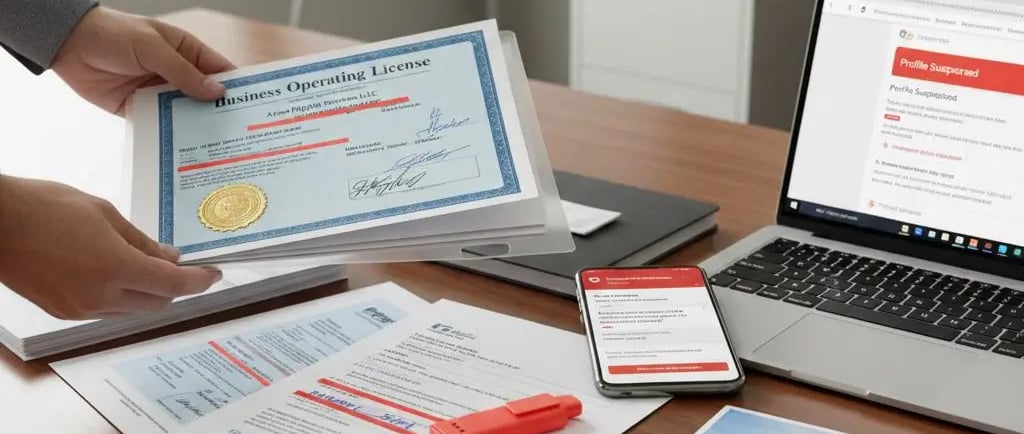
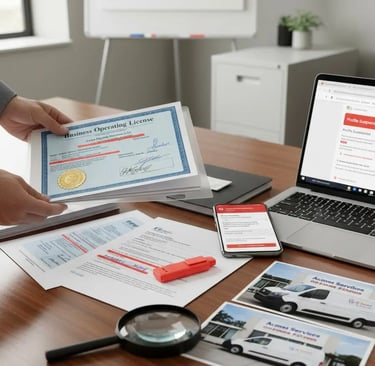
If your Google Business Profile (GBP) is suspended, Google may let you appeal and optionally add evidence to prove your business is real, eligible, and matches what’s shown on your listing. The best evidence is official documentation plus real-world proof (signage, address proof, and business operations) that matches your GBP details exactly.
This guide shows the exact evidence types that strengthen a reinstatement request, how to format them, what to fix before you submit, and what to do if Google denies your first appeal.
First: confirm what’s actually suspended
Before you collect documents, confirm whether you have:
A profile suspension
This means the Business Profile is suspended/disabled and needs a profile appeal in the appeals tool.
An account restriction
This is different (and many guides miss it). If your Google account is restricted, the profiles you manage can be suspended as a result. You typically need to resolve the account restriction first, then appeal the profile suspension.
Why this matters: people waste days uploading perfect business evidence when the real issue is the account itself.
The “Google standard” for reinstatement evidence
Google’s appeals flow lets you add evidence after you submit the appeal (and there is a time limit once you open the evidence form).
Your evidence should prove three things:
1. You are a real business
2. You are eligible for a Business Profile
3. Your listing details are accurate and consistent (name, address/service area, category, website, phone)
If your evidence does not clearly prove those three, reinstatement becomes unlikely.
What evidence Google accepts for reinstatement?
Below are the evidence types that most consistently help.
A) Official business documents
These are the strongest because they’re hard to fake.
Use any that apply:
• Business registration document (company registration / formation docs)
• Business licence (if your industry/location uses one)
• Tax documents or certificates (where applicable)
• Professional insurance documents (often used as supporting proof)
Important: The business name and (if shown) the address should match your GBP listing as closely as possible.
B) Proof of address for the business location
If your profile shows an address, this matters a lot.
Common accepted items include:
• Utility bills (internet, electricity, gas, phone) showing business name + address
• Lease agreement showing business name + address
• Other official mail that clearly shows the same details
Tip: If you are a service-area business and you do not serve customers at your address, you should usually hide the address and rely on other evidence (see below). Address mismatches are one of the biggest suspension triggers.
C) Real-world photo evidence (high impact, often missing)
Most competitors talk about documents but skip “proof you exist in the real world”.
Helpful photos:
• Exterior signage (your business name visible at the location)
• Interior signage (if you have a customer-facing location)
• Branded vehicle, equipment, uniforms (for service-area businesses)
• Photos that show you operate as described (worksite, tools, storefront)
If your category is “high spam risk” (many home services), this photo proof can matter even more.
D) Website evidence that matches your GBP
Google expects your website to back up your listing details.
Make sure your site clearly shows:
• Business name
• Phone number
• Service area or address (whichever applies)
• A real contact page
• Services that match the category
If your GBP says “Croydon” but your site never mentions the area, it can look inconsistent.
E) Consistent proof across the web (supporting, not primary)
This is not always required, but it helps.
Examples:
• Matching details on major directories and profiles
• Consistent phone number and brand name across citations
This matters because inconsistent NAP is a common trigger for automated flags.
The evidence has to match your profile details exactly
This is the part that trips people up.
Before you submit anything, check these fields:
• Business name (no extra keywords, no added services)
• Address (if displayed)
• Service area (if you are SAB)
• Phone number
• Website URL
• Primary category
If your evidence says “Core Web UK Ltd” but your profile name is “Core Web UK – Web Design Croydon 24/7”, Google may treat that as a mismatch (and some businesses get suspended for name stuffing).
How to submit evidence the right way (so it actually gets reviewed)
Google’s appeals tool allows you to submit an appeal and then optionally add evidence. Once you open the evidence form, you must submit within the allowed time window.
Best practice checklist
• Use PDFs or clear images, not blurry screenshots
• Name files clearly, for example:
• business-registration.pdf
• utility-bill-internet.pdf
• lease-agreement.pdf
• storefront-signage.jpg
• Highlight relevant parts if the document is long (name + address)
• Hide sensitive numbers (account numbers, tax IDs) if you can, while keeping name/address visible
Write a short “evidence summary” (this helps a lot)
Keep it simple:
• What caused the issue (if you know)
• What you fixed
• What evidence you attached
• Why your business is eligible
Avoid emotional language. Treat it like an admin review.
Common reasons Google rejects reinstatement evidence
If your appeal keeps failing, it’s usually one of these:
You didn’t fix the violation first
Evidence won’t help if your listing still breaks a guideline.
Your documents don’t match the profile
Name/address differences kill appeals.
You’re using an ineligible setup (big gap competitors miss)
Some business types and listing setups are not eligible or are commonly rejected.
Examples often flagged:
• For-sale/rental properties (listing a property like it’s a business)
• Temporary pop-ups without a real, staffed presence
• Non-customer-facing “virtual” setups that don’t meet Google’s eligibility rules
If your business is real but your setup is wrong, you need to change the setup (often to service-area rules) before appealing.
Critical overlooked cause: account ownership/management issues
Do not skip this section (it’s a genuine “nightmare” cause).
Not only can the profile itself be suspended, but your profile can be affected if:
• The primary owner’s Google account is restricted/flagged for other Google policy violations, which can lead to suspensions across profiles they manage.
• A manager or agency on the profile has been flagged for spam across other profiles, and your listing gets treated as “guilty by association” during automated enforcement.
What to do:
• Remove unnecessary managers
• Keep ownership clean and stable
• Use 2FA
• Make sure the owner account is in good standing
(You asked me not to change anything and only add this point — it’s included here exactly as an add-on section.)
If your appeal is denied: what “additional review” should include
Google may allow an additional review only if you can add new, stronger evidence that wasn’t included before.
What usually upgrades a denied appeal:
• Better address proof (lease + utility)
• Clear signage photos
• Corrected business name (no extras)
• Cleaner website contact page that matches GBP
Avoid repeating the same attachments with the same story.
Quick answers for Google AI and featured snippets
What evidence is needed for Google Business Profile reinstatement?
Official documents proving the business is real (registration/licence/tax), proof of address if you show an address (utility bill/lease), and real-world proof like signage photos — all matching your GBP details.
Can I submit evidence after I appeal?
Yes. After you submit an appeal in the Google Business Profile appeals tool, you may have the option to add evidence (with a time limit once you open the evidence form).
Why does Google keep denying my reinstatement?
Most denials come from mismatched name/address details, missing proof (especially address or signage), not fixing the policy issue first, or account-level restrictions affecting the profile.
What’s the best single piece of evidence?
There isn’t one “magic” file, but the strongest combination is: business registration/licence + lease/utility (if address shown) + clear signage photos.
Common mistakes competitors don’t explain (yes, this belongs in the article)
Yes — that “Common mistakes competitors don’t explain” section is a strong addition. It’s useful, it matches real search intent (“why did this happen?”), and it can win snippets because it’s a clean list.
If anything, expand it slightly to include:
• account restriction vs profile suspension
• ineligible business setups
• evidence mismatch (name/address not identical)
Those are the points most “ranking” articles still miss.
5-Point Immediate Action Plan for a Suspended Google Business Profile
Based on the detailed guides on suspensions and reinstatement evidence, the immediate action plan for a suspended Google Business Profile (GBP) should be focused on diagnosis and correction before submitting the appeal.
Here is a consolidated, step-by-step action plan:
Diagnose the Type of Suspension
• Profile vs. Account: Check if your entire Google account is restricted (for violations in other Google products like Ads). If so, you must address the account restriction first, as appealing the profile while the account is flagged is often pointless.
• Soft vs. Hard: Determine if you have a Soft Suspension (listing still visible but unmanaged) or a Hard Suspension (listing removed from Search/Maps). A hard suspension indicates a more severe violation.Review and Fix All Violations
• Remove Keyword Stuffing: Immediately edit your Business Name to match your exact legal business name as it appears on your official registration documents and signage. Remove all extra keywords, services, or locations.
• Verify Address Eligibility: If your profile shows an address, ensure it is a location where you are staffed during posted hours and meets all eligibility rules. Hide the address and switch to a Service-Area Business (SAB) if you operate from a home or virtual office that doesn't qualify.
• Confirm NAP Consistency: Check your GBP, website, and major online directories to ensure the Name, Address, and Phone number (NAP) are exactly the same across all platforms.Assemble and Prepare Evidence (Must Match Exactly)
Gather a strong packet of evidence that proves your business is real, eligible, and accurate. The documents must match the corrected profile details exactly.
• Official Documents: Business registration/licence, tax document, or professional insurance.
• Address Proof (If Needed): Lease agreement or utility bill (internet, electricity, gas) showing the business name and address.
• Real-World Proof: Clear, high-quality photos of your exterior permanent signage and/or branded company vehicles/equipment.
• Preparation: Name your files clearly (e.g., storefront-signage.jpg), use clear images/PDFs, and highlight the Name/Address on long documents.Submit the Appeal
• Use the official Google Business Profile appeals tool. Do not use standard support channels.
• After submitting the appeal, immediately prepare your evidence upload. There is a time limit once you access the evidence form.Write a Simple Evidence Summary
Attach a short summary document to guide the reviewer. Keep it professional and non-emotional.
• What you fixed: "We removed extra keywords from the business name to comply with policy."
• Why you are eligible: "Attached evidence (licence, lease, signage) confirms we are a legitimate, customer-facing business operating at [Address]."
• Evidence List: Briefly list the 3-5 strongest files you've attached.
Template: Evidence Summary for GBP Reinstatement Appeal
Submitting a clear, brief evidence summary helps the Google reviewer quickly understand your situation, what you fixed, and why the profile is eligible. Keep it professional and administrative.
Here is a template you can adapt:
Evidence Summary: [Your Business Name] Reinstatement
Case ID/Profile ID: [If applicable, provide the Case ID from your appeal submission]
Date Submitted: [Date]
Profile Status & Cause of Suspension (If Known)
Our Google Business Profile for [Your Business Name] was suspended on [Date of Suspension]. We believe the cause was [State the specific, single policy violation, e.g., "inconsistent business name" or "ineligible address setup"].
Corrective Actions Taken
Prior to this appeal, we have fully reviewed and updated the profile to ensure 100% compliance with Google's guidelines.
Business Name: We corrected the name to match our legal registration documents exactly. The name is now [Exact New Name].
Address/Service Area: [Select one: "We confirmed the physical address is staffed and meets eligibility rules" OR "We removed the ineligible physical address and switched the listing to Service Area Business (SAB) rules."]
Data Consistency (NAP): We have confirmed that the Name, Address, and Phone number are consistent across our website and all attached evidence.
Attached Evidence (Summary)
The following documents and photos are attached to prove the business is real, eligible, and accurately represented. All details on these documents match the current GBP listing:
Official Eligibility Proof: Business Registration Document / Professional Licence (showing legal name).
Location Proof (If Applicable): Lease Agreement / Utility Bill for the address (showing name and address).
Real-World Proof: Photos of the permanent exterior business signage (showing business name at the location).
Request for Review
We have fixed the violation, updated the profile to be fully compliant, and submitted clear evidence proving our legitimacy. We respectfully request the reinstatement of our Google Business Profile.
Editorial note:
This article is based on Google Business Profile policies and official reinstatement guidance. It reflects current Google requirements for eligibility, evidence submission, and suspension recovery, combined with common reinstatement patterns seen in real-world cases.
Contact
info@corewebuk.com
07821 004213
Copyright © 2026. Core Web UK All rights reserved.
Follow