Web Design & Digital Growth | 📞 07821 004213 | Open 24/7

Why Is My Google Business Profile Suspended?
Why is your Google Business Profile suspended? Learn the real reasons, Google policy rules, fixes, recovery steps, and how to avoid future suspensions.
Toufik Beladi
12/16/20254 min read

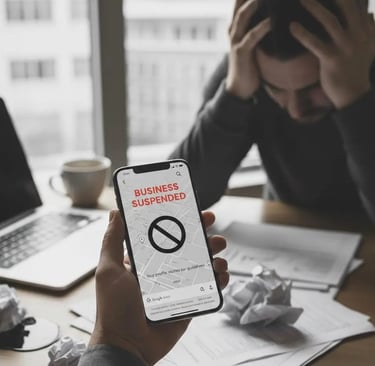
A Google Business Profile suspension means Google has restricted or removed your business listing from Google Search and Google Maps because it believes the profile violates its guidelines or cannot be trusted.
When a profile is suspended:
Your business may disappear completely from Google Maps and local results
Customers see no profile, even if you were ranking well before
You often receive little or no clear explanation from Google
This makes suspensions stressful — especially for local businesses that rely on calls, directions, and visibility.
The most important thing to understand first
Google Business Profile suspensions are policy-based, not random.
Google suspends profiles when:
Business information is misleading
Ownership or management looks untrustworthy
The business does not qualify under Google’s eligibility rules
The profile shows patterns associated with spam or abuse
Even honest businesses get suspended — usually because of technical mistakes, incorrect setup, or unintentional violations.
The two main types of Google Business Profile suspension
Most competitors forget to explain this clearly.
1. Soft suspension
Your profile is visible
But you cannot manage it
Google asks you to fix issues or re-verify
2. Hard suspension
Your profile is completely removed
It no longer appears on Search or Maps
You must submit a reinstatement request
Hard suspensions are more serious and take longer to recover from.
The most common reasons Google Business Profiles get suspended
Below are all major causes, including the gaps most articles never mention.
1. Business name violations (very common)
Google requires your business name to match:
Your real-world branding
Your legal or widely recognised trading name
Suspensions happen when businesses:
Add keywords like “best”, “cheap”, “24/7”, or locations
Change names frequently
Use different names on their website, signage, or invoices
Example:
❌ Best Plumber Croydon 24/7
✅ Smith Plumbing Ltd
This is one of the top suspension triggers worldwide.
2. Address problems and fake locations
Google is extremely strict about addresses.
You may be suspended if:
You use a virtual office
You use a mailbox, PO Box, or shared workspace
You list an address where staff are not permanently present
You hide your address incorrectly
Your address does not match public records
Google wants locations where:
Customers can physically visit, or
Service-area rules are followed properly
3. Service-area business mistakes
Service-area businesses (plumbers, electricians, cleaners, consultants, web designers, etc.) must:
Hide their home address (if no customers visit)
Set service areas correctly
Avoid listing multiple cities just to rank
Common mistake:
Showing a home address only to appear local, even though customers never visit.
Google considers this misrepresentation.
4. Ineligible business types
Some businesses are simply not eligible for a Google Business Profile unless they meet strict criteria.
Common ineligible or restricted examples:
Rental-only properties
Properties for sale without a staffed office
Temporary pop-up shops
Online-only businesses with no in-person contact
Lead-generation listings pretending to be real businesses
Businesses operating illegally or without required licences
If Google determines your business does not qualify, suspension is immediate.
5. Verification issues and failed re-verification
Suspensions often happen:
During verification
After Google requests re-verification
When documents don’t match
Triggers include:
Incorrect video verification
Address inconsistencies
Using outdated or unclear documents
Ignoring verification requests
Verification failure = loss of trust.
6. Rapid or suspicious profile edits
Google monitors change behaviour.
You may be suspended if you:
Change name, category, address, and hours too quickly
Switch categories repeatedly
Edit during verification
Make changes right after reinstatement
This behaviour looks spam-like, even if unintentional.
7. Review manipulation or fake activity
Google actively fights review abuse.
Suspensions can happen if:
Fake reviews are detected
Reviews are purchased
Incentives are offered for reviews
Review patterns look unnatural
Competitors or users report suspicious activity
Even third-party review services can get your profile suspended.
8. Issues with account ownership or profile management
This is one of the least explained but most damaging causes.
A Google Business Profile can be suspended even if the business itself did nothing wrong, if:
The primary owner’s Google account is flagged for violations elsewhere (Gmail, Ads, Maps, YouTube, etc.)
A managing agency has a history of spam profiles
A former employee still has access
An agency is suspended on other accounts
Google associates your profile with bad actors
This is often called “guilt by association”.
In severe cases:
The entire Google account is restricted
All managed profiles can be suspended instantly
This is extremely difficult to fix and rarely mentioned online.
9. Duplicate listings
If Google detects:
Multiple profiles for the same business
Old listings still active
Profiles created by staff or customers
It may suspend all of them until the conflict is resolved.
10. Website and NAP inconsistencies
Google cross-checks your profile against:
Your website
Directories
Citations
Social profiles
If your:
Name
Address
Phone number
do not match consistently, trust drops.
Low trust = suspension risk.
Why Google does not always explain the suspension clearly
This frustrates business owners — but it’s intentional.
Google:
Does not want spammers to reverse-engineer enforcement
Uses automated systems
Avoids giving exact triggers
This is why many emails say only:
“Your profile violates our guidelines”
Even when the issue is very specific.
What to do immediately if your Google Business Profile is suspended
Do not create a new profile
This can make things worse.Do not panic-edit anything
Wait and audit first.Check Google’s Business Profile guidelines carefully
Compare line by line with your setup.Audit your business name, address, category, and eligibility
Check who owns and manages the profile
Remove risky or unnecessary users.Prepare evidence
Website, signage, utility bills, licences, photos.Submit a reinstatement request only when ready
Poor reinstatement submissions are the #1 reason for long delays.
How long does reinstatement take?
Simple cases: 3–7 days
Complex cases: several weeks
Account-level issues: longer and unpredictable
Repeated failed requests slow things down.
What causes Google Business Profile suspension?
Policy violations related to business name, address, eligibility, verification, reviews, or account trust.
Can an honest business be suspended?
Yes. Many suspensions are caused by setup mistakes, not intentional abuse.
Can my profile be suspended because of my Google account?
Yes. If the owner’s Google account or a managing agency is flagged, your profile can be suspended immediately.
Are some businesses not allowed on Google Business Profile?
Yes. Certain business types are ineligible unless they meet strict criteria.
Is suspension permanent?
No, but recovery depends on fixing the root cause correctly.
Editorial note on accuracy
Editorial note:
All information in this article is based on official Google Business Profile documentation, Google “Represent your business” guidelines, and publicly confirmed enforcement practices. Google does not disclose every suspension trigger, but the causes listed here reflect the most common and verified reasons businesses lose access to their profiles.
Contact
info@corewebuk.com
07821 004213
Copyright © 2026. Core Web UK All rights reserved.
Follow