
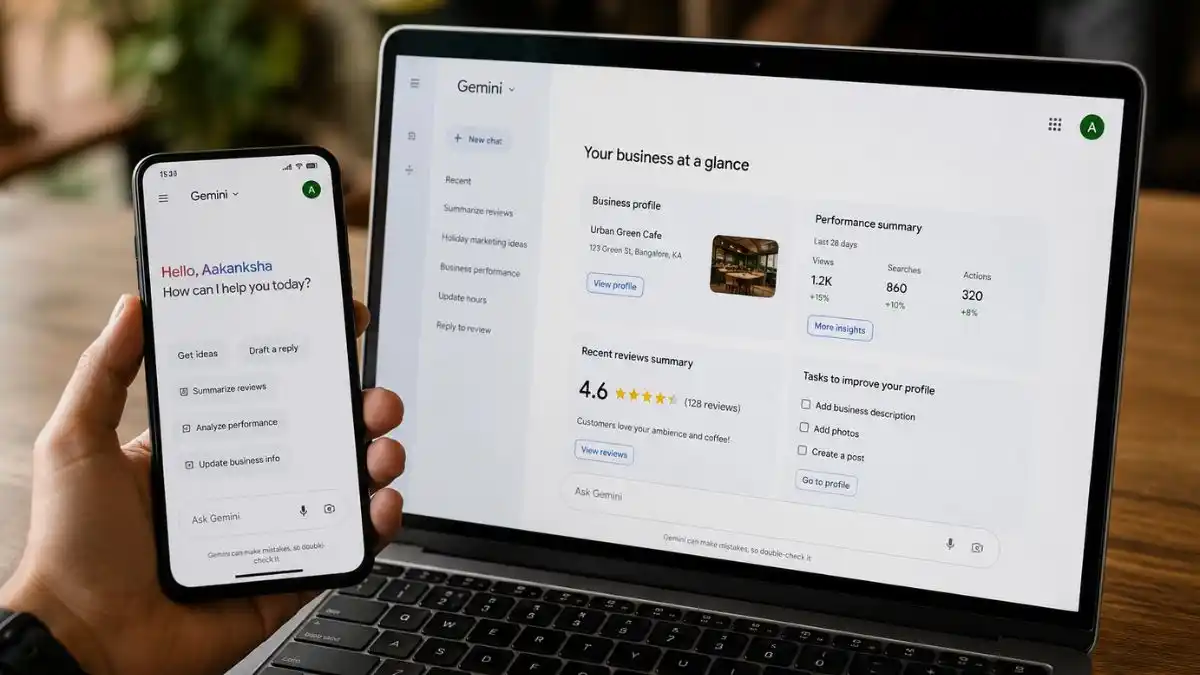
Your Google Business Profile category tells Google what type of business you are. The primary category should describe the main business as accurately as possible. Additional categories can describe genuine secondary parts of the business.
Choosing categories is important because categories help Google decide which local searches are relevant to your profile. But categories are not a place to stuff every service or keyword you want to rank for.
The best category is the one that accurately describes the business customers would recognise in the real world.
Google Business Profile categories: the simple rule
| Field | What it should describe | What it should not be used for |
|---|---|---|
| Primary category | The main type of business | Your favourite keyword |
| Additional categories | Other real business activities | Every service variation |
| Services | Specific jobs customers can buy | Business type |
| Business description | Plain explanation of the business | Keyword list |
1. Choose what the business is, not what it has
Google’s own guidance says to choose a category that describes what the business is, rather than every service, product or feature it offers.
For example:
- a hotel with an ATM is still a hotel, not an ATM;
- a web agency offering SEO may still primarily be a web designer if web design is the main business;
- a plumber offering emergency call-outs is still primarily a plumber unless Google provides and the business genuinely fits a more specific supported category.
Think about the main reason customers would describe the company.
2. Start with the main revenue-generating service
If your business offers several services, ask:
- What do most customers hire us for?
- What is the main service shown on our website?
- What type of business would our customers say we run?
- Which category most accurately describes that business?
Use those answers to identify the main business. Revenue is a useful clue, but a profitable service does not justify a category that describes the business inaccurately.
3. Be specific when the specific category is accurate
Choose a more specific category when it accurately describes the business. If the precise option is unavailable, use the closest suitable general category.
Illustrative examples, subject to the labels currently offered in your profile:
| Business | Too broad | More accurate when applicable |
|---|---|---|
| Accountancy practice | Business service | Accountant |
| Air conditioning installer | Engineer | Air conditioning contractor |
| Web design company | Marketing agency | Web designer |
| Locksmith | Home services | Locksmith |
Do not choose a narrower category if it misrepresents the business.
4. Check which categories Google currently offers
Google’s category list changes over time.
The safest place to check is the category picker inside your own Business Profile.
Start typing the business type and review the available options.
Category lists can help you find possible labels, but availability and wording can vary by country and language. Check UK options in your own profile before making an edit. Do not rely on a dated list as the final source.
5. Use competitor categories as research, not instructions
Businesses already ranking in your target local results can give useful clues.
Search the commercial phrase you care about and inspect the businesses appearing strongly.
Look for patterns:
- Do most competitors use the same primary category?
- Are there several different categories representing different business models?
- Does your actual business match the category those competitors use?
If all strong competitors use one category and it accurately describes you, that is useful evidence.
If they use a category that does not match your business, do not copy it.
6. Primary category matters more than collecting lots of additional categories
Your primary category should reflect the main business.
Additional categories are useful when the business genuinely operates in more than one closely related area.
For example, a business might legitimately be:
- Web Designer as primary;
- Marketing Agency as an additional category;
- Marketing Consultant as an additional category.
But adding unrelated categories simply to appear for more searches can weaken clarity and create policy concerns.
7. Additional categories should describe real parts of the business
Before adding an additional category, ask:
“Would a customer reasonably describe our business this way?”
If the answer is no, leave it out.
Do not add a category just because:
- the service has high search volume;
- a competitor uses it;
- you might offer it later;
- it contains a valuable keyword.
8. Do not use services as categories
Categories and services do different jobs.
A category such as Plumber describes the business.
Services can describe the specific jobs:
- leak repair;
- tap replacement;
- toilet repair;
- emergency plumbing;
- pipe repair.
Specific jobs belong in the Google Business Profile services section rather than being forced into categories.
9. Do not change the primary category every few days
Category changes can affect how Google understands the listing.
If you change the primary category, make sure the new one is genuinely more accurate.
Then give the profile time to settle.
Do not rotate categories based on which keyword you want to rank for that week.
10. Check whether the category matches the website
Your website should support the same business identity.
If your primary category says Accountant, the website should clearly explain accounting services.
If your profile says Web Designer but your homepage is almost entirely about social media management, Google and customers get mixed signals.
Make the main service obvious on:
- homepage;
- main service page;
- page titles;
- navigation;
- contact page;
- local landing pages where relevant.
11. Check category relevance before blaming reviews
Business owners often assume low Maps visibility means they need more reviews.
But if the category is wrong, more reviews may not fix the relevance problem.
Start with the basic match between:
- search query;
- primary category;
- services;
- website content.
Then work on prominence.
12. Category changes can trigger more checks
Google may review important profile edits.
A category change can take time to appear and may sometimes be followed by verification or other review.
If your category edit is pending or not approved, use the Business Profile edit troubleshooting guide rather than submitting the same change repeatedly.
13. Category choice for service-area businesses
Service-area businesses should still choose categories based on what the business is.
Do not choose a generic category because you hide your address.
A locksmith remains a locksmith. A cleaning company remains a cleaning service. An air conditioning contractor remains an air conditioning contractor.
Address visibility and business category are separate decisions.
14. Category choice for multi-service businesses
Some businesses genuinely have several significant services.
Use this process:
- Choose the business line that best describes the main company as the primary category.
- Add additional categories only for genuine secondary lines.
- Add detailed services under the correct category where Google allows it.
- Make sure the website has clear pages for the important service areas.
15. Do not create a second profile for a second service
One business usually does not need separate Business Profiles simply because it offers two services.
Creating multiple listings for one business without a legitimate separate location or business entity can cause duplicate and policy problems.
Use categories and services within one eligible profile instead.
16. How to review your current categories
Open the profile and write down:
- primary category;
- every additional category;
- main services;
- top three commercial searches you care about.
Then ask:
- Does the primary category clearly match the main business?
- Does each additional category describe a real part of the business?
- Are specific jobs listed as services rather than forced into categories?
- Does the website support the same business identity?
17. Example category review: web design business
A web design business may offer:
- web design;
- SEO;
- website maintenance;
- graphic design;
- marketing advice.
If web design is the core business, Web Designer may make sense as the primary category.
Additional categories should be chosen only if they accurately describe active services the company genuinely provides.
The individual tasks then belong in the services section.
18. Example category review: trades business
A company may provide:
- plumbing;
- drainage;
- heating;
- bathroom installation.
If plumbing is the main business, Plumber may be the clearest primary category.
If drainage is a major separate part of the business and Google offers an appropriate supported category, it may be suitable as an additional category.
Do not add unrelated building-service categories just because the company occasionally subcontracts that work.
19. Track the effect of a deliberate category change
When you make a justified primary-category change, record the date.
Then monitor:
- Maps visibility for important searches;
- profile calls;
- website clicks;
- qualified enquiries;
- unexpected verification requests.
Give the change time before making another major edit.
20. Category choice is only one part of local ranking
Google says local ranking also depends on distance and prominence.
A perfect category cannot make a business physically closer to every searcher.
It also cannot replace:
- genuine reviews;
- strong website content;
- local authority;
- accurate business information;
- customer trust.
If your category is correct but visibility is still weak, move on to the Google Maps ranking diagnosis.
Google Business Profile category checklist
- Identify the main business.
- Choose the most accurate supported primary category.
- Add only genuine additional categories.
- Keep services separate from categories.
- Check your website supports the same identity.
- Compare local competitors for patterns, not copying.
- Avoid frequent category changes.
- Monitor ranking and enquiries after justified changes.
Google Business Profile category FAQs
What should my primary Google Business Profile category be?
Choose the supported category that most accurately describes the main business. It should describe what the business is, not simply a service or keyword you want to rank for.
How many additional categories should I add?
You can choose one primary category and up to nine additional categories: ten in total. You do not need to fill every space. Add only categories that accurately describe real parts of the business.
Do categories affect Google Maps rankings?
Categories help Google understand relevance. They are important, but local ranking also depends on distance and prominence.
Should I copy my competitors’ categories?
Use competitors as research. Only use a category if it accurately describes your own business.
Can changing my primary category hurt rankings?
A major category change can change which searches Google considers relevant. Change it only when the new category is more accurate, then monitor results rather than changing it repeatedly.
How to change your Google Business Profile category
Google My Business categories, GMB categories and Google Maps business categories refer to the categories used on your Google Business Profile. You do not need a separate category list for each name.
- Sign in to the Google account that manages the correct Business Profile and open that profile.
- Select Edit profile, then find Business category and choose its edit control.
- Enter the main business type in the primary-category field and select an offered option. Typing a phrase without choosing an available category does not create a custom category.
- Use Add another category for an accurate additional business type, or remove an additional category that no longer fits.
- Select Save. Check whether the edit is accepted, pending or requires further verification before making another change.
Google warns that adding or changing a category can require verification again. Keep access to the account and business evidence ready. Do not promise a client that the change will be immediate or improve their rankings.
Category, service or attribute?
A category describes the business type. A service describes a job customers can buy. An attribute describes a supported feature of the business or location. For example, an electrician may list a repair job as a service; an accessibility feature belongs in the available attributes, rather than becoming a category. Available features depend on the profile.
A short record before you edit
| Record | What to write down |
|---|---|
| Current settings | The exact primary and additional labels, profile location and review date. |
| Proposed change | The offered UK category and the actual business activity that makes it more accurate. |
| Evidence | Relevant service pages and real work the business provides. A competitor label alone is not enough. |
| Outcome | Whether the change is live, pending or needs verification, plus the date it became visible. |
| Follow-up | Compare the same local searches, locations and periods. Record calls and qualified enquiries separately from website clicks. |
Google Search Console measures your website’s Google Search performance; it does not provide a complete Maps ranking report. Review Business Profile performance separately and remember that distance, demand, other edits and competitors can affect results. A change after an edit does not by itself prove the category caused it.
When is a category review worth paying for?
A review can be useful when the primary category does not match the main business, a multi-service company has unrelated labels, or a previous edit is stuck. Ask the supplier for the current labels, proposed labels, reasons, verification plan and a written change record before they edit. If the categories already fit, investigate the wider visibility problem rather than paying for repeated category swaps.
Reference checked on 23 October 2026: Google’s guidance on managing your business category. Category tools and competing guides are useful research aids; your profile’s current choices and Google’s guidance should guide the final decision.
