
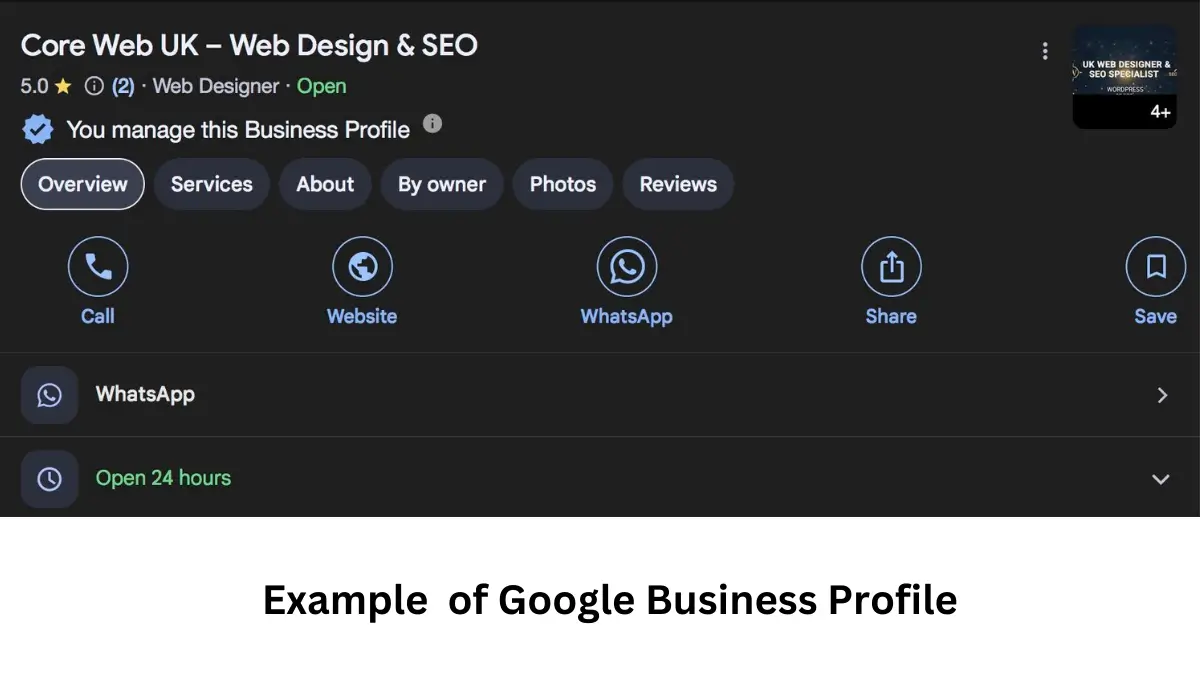
The Services section of Google Business Profile should list the real jobs customers can hire you to do. It should not be a list of every keyword you hope to rank for.
Google can suggest services based on your business category, and you can add custom services where the right service is missing. For many service businesses, these services can appear directly on the profile and help customers understand what you offer before visiting the website.
The useful question is not “How many services should I add?” It is “Which distinct services do customers genuinely buy from us?”
How to add, edit or remove Google Business Profile services
- Open the correct existing profile with an authorised account and select Edit services.
- Choose the suggested services you genuinely offer and save.
- For a missing genuine service, choose Add more services → Add custom service, where available, then save.
- To change details, select the service and edit its description or price. To remove it, use Delete service, then save.
- Review the saved list and check its public appearance on Google Maps. Keep a note of anything rejected, missing or out of date.
Google’s official Services Editor instructions say availability depends on business category. A missing Edit services option is not, by itself, proof of a suspension. Check the correct account, location and category before changing anything.
Keep names, descriptions and prices in the right fields
Google says policy-breaking custom names are automatically rejected. Do not put prices, phone numbers, personal information, profanity or gibberish in a custom service name. Use the separate price field where available, and a description that explains the real work and its limits.
Example name: Air conditioning servicing.
Example description: Inspection and routine servicing for existing air conditioning systems. Repairs and replacement parts are quoted separately.
Use that wording only if it accurately describes your own offer. Do not claim emergency availability, qualifications or included repairs the business cannot provide. Match any published price and exclusions with what staff will actually quote.
Services are different from categories and service areas
A category describes the business type, a service is work a customer can buy, and a service area is where you travel. Hiring someone to manage your Business Profile is another meaning of “Google Business Profile services”. This guide is about the list inside the profile. Google’s Services Editor can add business categories too, so check each proposed category is justified before saving it.
What should a service-list improvement deliver?
Ask for a before-and-after list showing additions, removals, descriptions, pricing decisions and matching website information. Confirm that every entry is offered at that location. Google may highlight a relevant service for a search, but adding it does not guarantee a particular display or ranking. Track whether enquiries match the actual work you want and can deliver.
What services should you add to Google Business Profile?
| Add | Do not add |
|---|---|
| Real services customers can book or request | Keyword variations |
| Google’s relevant suggested services | Services you do not actually provide |
| Useful custom services when needed | Neighbouring towns as “services” |
| Clear service descriptions | Promotional slogans |
| Accurate price information where useful | Phone numbers inside service names |
1. Start with recent jobs, not a keyword tool
Look at the work customers actually paid for over the last few months.
Use:
- invoices;
- quotes;
- booking records;
- job sheets;
- CRM service types;
- customer enquiries.
Write down the distinct jobs.
That list is a better starting point than copying search keywords.
2. Separate categories from services
Your category describes the business.
Your services describe the specific work.
Example:
| Business category | Possible services |
|---|---|
| Plumber | Leak repair, tap replacement, toilet repair |
| Locksmith | Lockout service, lock replacement, burglary repair |
| Web Designer | WordPress website design, website redesign, ecommerce website design |
| Accountant | Bookkeeping, VAT returns, year-end accounts |
If the business type itself is unclear, start with the Google Business Profile category choice before adding services.
3. Use Google’s suggested services when they match
Google may show predefined services based on your business category.
Select the ones you genuinely offer.
Do not select every suggested option just because it appears in the list.
A service should reflect something customers can actually buy.
4. Add custom services when the right service is missing
If Google does not suggest an important service, you may be able to add a custom one.
Keep the service name simple.
Good:
- Emergency lockout service
- WordPress website redesign
- Air conditioning servicing
- Commercial EPC assessment
Weak:
- BEST CHEAP LOCKSMITH NEAR ME LONDON
- SEO COMPANY CROYDON #1
- FASTEST EMERGENCY PLUMBER 24/7 CALL NOW
5. Do not add the same service ten times with different wording
One genuine service does not need a dozen keyword versions.
For example, if the service is:
Website redesign
you do not need:
- website redesign service;
- business website redesign;
- professional website redesign;
- website redesign UK;
- website redesign London;
- best website redesign.
Use one clear service and support it with a useful website page.
6. Add a short description when it helps customers decide
For services where Google allows descriptions, explain:
- what the service covers;
- who it is for;
- what is included;
- important boundaries.
Keep the wording plain.
Example:
Website maintenance: Regular WordPress updates, backups, security checks and technical support for business websites.
That is more useful than:
Best premium website maintenance solutions for all businesses.
7. Keep service names free from contact details
Google’s guidance says custom service names should not include things such as phone numbers or other personal information.
Use the proper phone and website fields for contact information.
8. Add price information only when it is genuinely useful
Some services have clear fixed prices. Others need a quote.
If Google allows price information, use it accurately.
Options may include:
- fixed price;
- starting price;
- no price where the service is genuinely bespoke.
Do not create a misleading low price simply to make the profile look cheaper.
9. Match important services to website pages
Your strongest services should normally have useful pages on the website.
For example:
- Google Profile service: Website Design → website design service page;
- Google Profile service: Local SEO → SEO/local SEO service page;
- Google Profile service: Emergency Website Repair → emergency repair page.
This gives customers somewhere useful to continue their research.
It also makes the website and profile tell a consistent story.
10. Do not turn towns into services
“Plumber Croydon”, “Plumber Bromley” and “Plumber Sutton” are not three different services.
They are the same service in different locations.
Use the service-area field correctly and build location pages only where the website can offer genuine local value.
11. Service-area businesses still need accurate services
Hiding your business address does not change what belongs in the Services section.
A service-area business should still list the real work it provides.
For businesses without a customer-facing shopfront, the service-area Business Profile setup should be correct before expanding services.
12. Review services when the business changes
Services change over time.
Review the list when:
- you launch a new service;
- you stop providing a service;
- you change the business model;
- Google adds new suggested services;
- the website is restructured.
13. Remove services you no longer offer
An old service can create poor enquiries.
If customers keep contacting you for work you stopped doing two years ago, check whether the service is still visible on:
- Business Profile;
- website;
- old landing pages;
- directories;
- social profiles.
14. Services can appear in customer reviews
For some service businesses, Google may ask customers which job or service they received.
Google’s own help information says these task choices can come from the merchant’s service list, website or other sources.
That is another reason to keep the service list accurate.
15. Do services guarantee rankings?
No.
Services can help Google and customers understand the business, but there is no guarantee that adding a service will move the profile into the top three.
Local ranking still depends on relevance, distance and prominence.
Be cautious with articles claiming that adding a service causes a guaranteed ranking jump within a fixed number of hours.
16. Use service wording customers understand
Internal company language can be confusing.
For example:
“Reactive FM call-out”
may be less clear to a homeowner than:
“Emergency plumbing repair”
Use accurate language customers recognise.
17. Do not copy competitor services word for word
Competitors can help you notice a service you forgot.
But your list should reflect your own business.
Copying another business may add:
- services you do not offer;
- different terminology;
- different pricing;
- different qualifications.
18. Create a service hierarchy
For a business with many services, group them logically.
Example for an air conditioning company:
- Installation
- Residential air conditioning installation
- Commercial air conditioning installation
- Repair
- Air conditioning repair
- Emergency AC repair
- Maintenance
- Air conditioning servicing
- Planned maintenance
This is easier for customers than one unstructured list.
19. Check services after a category change
Changing categories can change the suggested services Google shows.
After a justified category change:
- open the Services section;
- review new suggestions;
- remove irrelevant items;
- confirm custom services remain accurate.
20. Connect services to your wider local SEO structure
The Services section is one piece of local SEO.
Your website, reviews, categories, citations and local evidence still matter.
The wider local SEO structure connects services with categories, reviews, website pages and local evidence.
Google Business Profile services checklist
- List the real jobs customers buy.
- Select relevant Google-suggested services.
- Add clear custom services only where needed.
- Combine duplicate wording.
- Add simple descriptions.
- Use accurate pricing where appropriate.
- Remove old services.
- Match important services to website pages.
- Review after category or business changes.
Use customer language without turning services into keywords
A useful service name should be clear to a normal customer. If your invoices say “reactive maintenance attendance” but customers search and ask for “emergency repair”, use the clearer customer-facing wording when it still describes the same real service.
The important line is accuracy. Do not turn one service into several near-duplicates just because people search it in different ways.
Check whether services are helping or confusing enquiries
After updating the service list, watch the enquiries you receive. If customers start asking for work you do not provide, review the profile and website wording. If the same profitable service keeps appearing in customer questions, make sure it has a clear website page and an accurate Business Profile entry.
A simple service-list audit for a small business
- Export or list the jobs completed in the last 90 days.
- Group identical jobs under one customer-friendly service name.
- Remove internal technical steps that customers do not buy separately.
- Compare the result with Google’s suggested services.
- Add missing custom services only where genuinely needed.
- Check the website has useful information for the most important services.
This creates a profile that is easier for customers to understand and easier for staff to keep accurate.
Google Business Profile services FAQs
How many services should I add?
Add the distinct services you genuinely offer. There is no useful fixed target number.
Do Google Business Profile services help ranking?
They help Google understand what the business offers, but they do not guarantee a particular ranking. Local results also depend on distance and prominence.
Should I add keywords as services?
Add real services, not keyword phrases such as “best plumber near me”.
Can I add custom services?
Yes, where Google allows it and the suggested list does not contain the genuine service you offer.
Should service descriptions include locations?
Write descriptions for customers. Do not stuff town names into every service. Use service-area settings and relevant website pages for location context.
