
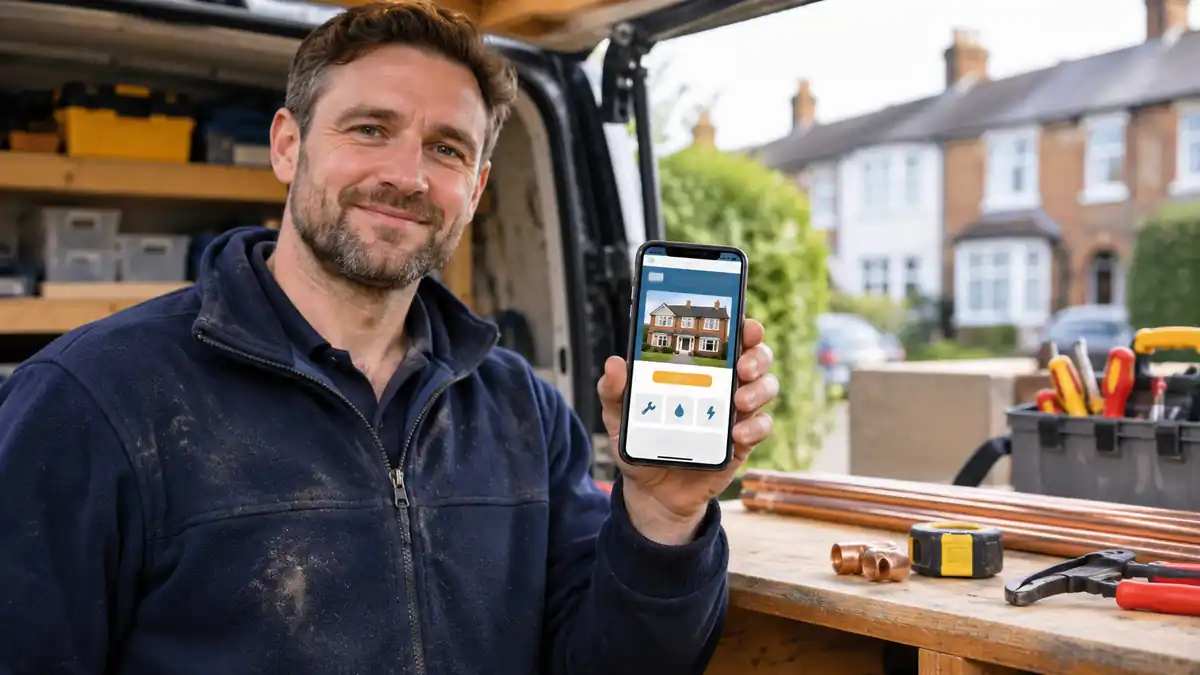
Websites for tradespeople need to do three things well: explain the work you carry out, show customers why they can trust you, and make it easy to call or ask for a quote. A good-looking homepage is useful, but it will not help much if the phone number is hard to find or every enquiry goes to an inbox nobody checks.
This practical checklist is for UK plumbers, electricians, builders, roofers, locksmiths, decorators, landscapers, drainage specialists and other trades. It is written for business owners, not web developers. Use it before paying for a new website, when reviewing an agency’s design, or when improving a site you already own.
The simplest starting point: decide whether your customers usually need urgent help, a planned quotation, or both. That decision should influence nearly everything else on the site.
1. Decide what a successful enquiry looks like
A burst pipe and a loft conversion are completely different buying decisions. An emergency customer wants a telephone number, clear availability and reassurance that you cover their postcode. A homeowner planning a renovation wants examples, details about the process and a way to send photos or measurements.
| Type of work | What the customer needs first | Best next step on the website |
|---|---|---|
| Emergency plumbing, locksmith or drainage | Availability, location coverage and a trustworthy phone number | Tap to call |
| Electrical testing, repairs or smaller jobs | Exact service, qualifications and a straightforward price or quote process | Call or short enquiry form |
| Extensions, roofing, bathrooms and landscaping | Real project photographs, scope and a clear quotation process | Request a survey or estimate |
| Regular commercial maintenance | Services, response arrangements, compliance and service agreements | Request a business callback |
You may serve more than one type of customer. Give urgent and planned jobs separate routes instead of forcing every visitor through one generic form.
2. Put the essentials in the first screen
When someone opens your site on a phone, they should immediately understand the trade, the main area covered and how to contact you. A headline such as “Quality services at competitive prices” says almost nothing. “Blocked drains cleared across Croydon and nearby areas” is clearer, provided that is genuinely your service.
Do not make a customer scroll past a giant picture before seeing the call button. A useful homepage opening contains the service, realistic coverage, a clear contact choice and one short reason to trust the business.
3. Give every important service a proper description
“Plumbing, heating and maintenance” is too broad for someone looking specifically for a leaking stopcock or toilet repair. Explain what you actually do, what is outside your scope, who the service suits and what happens when a customer enquires.
A plumber may need separate information for leak repairs and bathroom installations. An electrician may explain consumer unit replacement, fault finding and inspections. A builder may distinguish extensions from general property maintenance. You do not need a separate page for every tiny job; start with services that customers search for and that you genuinely want more of.
These service descriptions should help people make a decision, not repeat a town name twenty times.
4. Show the places you really cover
List your normal working area, not every postcode within a hundred miles. Say whether you charge extra for travel, whether urgent work has a smaller coverage radius, and which places you routinely visit.
For example: “Based near Croydon. Regular jobs in Purley, Coulsdon, South Norwood and Bromley. Ask before booking if you are further away.” That is more helpful than claiming to have a branch in each town when you do not.
Only create separate location pages when there is enough genuinely useful information about that area’s jobs, availability or projects. Avoid dozens of identical pages with the town name changed; Google’s search spam policies warn against pages made mainly to capture similar searches.
5. Make the phone number work with one tap
A phone number in an image cannot be tapped. Put a real clickable telephone link near the top of the mobile page. Test it on both iPhone and Android if possible. For urgent trades, a simple sticky call button can be useful, provided it does not hide the content.
Do not label a number “24/7 emergency” unless somebody can answer or manage calls at those hours. If calls go to voicemail after 6pm, say so. A clear promise you can keep beats an impressive claim you cannot.
6. Keep the quotation form short
Ask only for details needed to respond: name, contact method, postcode, type of job and a short description. For complex work, offer an optional photograph upload if your website can handle it securely.
Do not insist on a full postal address and ten separate questions just to request a callback. If you need those details to prepare a proper quote, you can ask later. Reducing friction is especially helpful when customers are using a phone with one hand.
A contact form must also reach a monitored inbox. Follow a proper contact-form test after launch and after major updates.
7. Explain how quickly you normally reply
“We’ll be in touch soon” leaves people guessing. If you normally call back within one working day, say that. If urgent callers should telephone rather than fill in a form, make that distinction obvious.
Check that automatic replies do not promise attendance times you cannot guarantee. For emergency work, show the next sensible action if the business is closed, without giving unsafe do-it-yourself instructions.
8. Use genuine photographs from your own jobs
Customers want to see what your work looks like. Photograph finished installations, tidy work areas, vans and teams where appropriate. A roofer can show completed roofing details; a bathroom fitter can show the finished room; a drainage company may show equipment and job conditions.
Use captions that identify the type of work and, where appropriate, the general location. Ask permission before showing a customer’s home, address, face or identifiable belongings. A few real and useful photographs are better than dozens of generic pictures of hard hats and spanners.
9. Match the proof to the service
If you want more emergency lockouts, a gallery of kitchen renovations will not help much. If you want large extensions, one small repair photograph may not provide enough reassurance. Select examples that support the work you want to win.
For a planned project, a short case study can explain the starting problem, what was done, how long it took and any material limitations. Never invent a customer, a testimonial, a before-and-after photograph or a result.
10. Display credentials accurately
If you are registered with a trade scheme, give the correct organisation name and registration details where suitable. Only display a scheme’s badge when you are entitled to use it. Being insured is not the same as being registered, approved or accredited.
Gas work requires appropriate Gas Safe registration. The official GOV.UK guidance explains the registration requirement, and the Health and Safety Executive explains how customers can check an engineer. Display current credentials and do not imply a worker is qualified for types of work outside their registration.
11. Make reviews believable and relevant
Use real reviews from real customers. Where possible, include the type of work and a rough location with permission, because “excellent service” alone tells the reader very little.
Do not copy reviews onto the site with changed names, buy reviews or invent star ratings. A customer considering a £20,000 extension needs different reassurance from someone booking a £90 repair. The quality and relevance of evidence matter.
If your team needs a consistent process for asking customers, use a straightforward approach to requesting genuine Google reviews without incentives tied to positive ratings.
12. Give emergency and planned work different buttons
A “Call now” button is ideal for some enquiries, but customers planning a kitchen or extension often prefer to send details first. Put “Emergency call” and “Request a project quote” in different places, with clear wording about which is appropriate.
Do not send an emergency visitor to a booking calendar that has no same-day appointments. Equally, do not make a customer with a detailed project brief explain the entire job over the phone if a simple form is easier.
13. Make the website readable on a phone
Customers may be standing in a hallway, on a building site or between meetings when they find you. Use readable text, strong contrast and buttons that are easy to press. Keep important content visible without requiring pinching, zooming or tricky menus.
Check a real phone, not just a desktop preview. The most expensive mobile website mistakes often affect contact buttons and forms rather than the appearance of the page.
14. Make pages fast enough to use
Large gallery images, heavy animations and unnecessary plugins can make a website frustrating. Compress images sensibly, avoid playing videos automatically and keep the main contact buttons quick to load.
A speed test score is a diagnostic, not a promise of more jobs. Ask the developer to show how key pages work on an ordinary mobile connection. Prioritise the homepage, main services and quote form.
15. Ensure people can use it without a mouse
Clear headings, readable colours, meaningful image descriptions and properly labelled form fields help more customers use the site. Check that menus and forms can be used with a keyboard and that errors explain what needs correcting.
Accessibility is not only a large-company issue. The W3C accessibility guidance explains useful starting points. Before launch, ask your developer for a basic manual test and a plan to address any failures.
16. Explain your pricing process honestly
You do not need to publish a fixed price for work that requires inspection. You should, however, explain whether estimates are free, whether a call-out charge applies and when a customer receives a final quotation.
For urgent jobs, distinguish a diagnostic or attendance fee from the cost of repair. For larger work, explain deposits, staged payments and what the quote includes. Do not bury common charges in small print.
The question of whether to show prices on a business website is best decided around the type of job, not a blanket rule.
17. Add a clear ‘About the business’ section
Customers often want to know who will turn up at their property. Say who runs the company, what the team does, how long the business has operated if accurate, and whether you employ your own staff or use vetted subcontractors.
A photograph of the actual team can help. So can a straightforward description of how jobs are managed, whether the person providing the quote normally does the work, and how problems are resolved.
18. Make the Google Business Profile and website agree
Check that your business name, main phone number, website address, trading hours and services are consistent. The Business Profile should not claim a public office where customers cannot visit.
A website and Google Business Profile support different stages of the decision: the profile helps people discover and assess the business, while the website should explain services clearly enough for them to make contact. Managing both consistently is part of Google Business Profile management.
19. Use headings that describe real work
Clear language helps visitors and search engines understand each page. “Roof leak repair in Bromley” is more useful than “Our solutions”. Use one primary visible headline per page and supporting headings that explain common questions.
A page needs genuine service information, not an artificial number of keywords. Avoid repeating “best affordable local tradesman” in every heading. Good SEO support starts with what the customer is trying to find.
20. Test the entire enquiry journey
Before launch, behave like a customer. Search for the business, open the site on a phone, tap the call button, fill in the form and confirm the message reaches the right person. Check the acknowledgement email and what happens if the sender uses a different email provider.
Repeat these tests after plugin updates or form changes. A site can look perfect while silently losing enquiries. If there are several forms or phone numbers, test each one.
21. Keep personal information protected
Enquiry forms collect personal information such as names, phone numbers, addresses and details about a customer’s property. Provide an accessible and accurate privacy notice. Ask for no more information than you need, protect the inbox and keep website software maintained.
The Information Commissioner’s Office provides privacy notice guidance for small organisations. A template is a starting point; it must match what your own business actually does with customer data.
22. Show your business contact details and terms
Make it easy to identify the business behind the website. Include a sensible contact method and relevant trading details. If your company is incorporated, check applicable requirements for displaying its registered name and company information. Do not publish a home address simply to appear more local if you work as a service-area business.
Where online deposits, bookings or product sales are involved, make terms, cancellation arrangements and refund information clear before payment. Requirements vary with your business model; get professional advice for complicated contracts.
23. Know which enquiries the website generates
Ask customers how they found you, and keep a simple monthly record of genuine website calls, completed forms and booked work. Google Analytics and Search Console can help answer different questions, but neither automatically tells you whether an enquiry turned into a paying job.
A basic website lead-tracking setup should distinguish a phone-button click from an answered call and a form page view from a completed form. Do not count every visitor as a lead.
24. Understand ownership before paying
Ask who owns the domain, website files, photographs and written content. Check whether you will receive administrator access, whether hosting is bundled, and what happens if you leave the supplier.
Some websites are sold for a one-off project fee; others are provided through a monthly managed service. Neither arrangement is automatically bad. What matters is the total cost, ongoing responsibilities and whether the exit terms are clear. A practical website ownership and handover checklist helps you ask the right questions before signing.
25. Have a plan for maintenance and new work
A website is not finished forever on launch day. Teams change, emergency numbers change, new services are added and photographs become dated. Set a reminder to check contact details, update important project examples and test booking or quote forms.
For WordPress sites, arrange regular updates, secure backups and checks after meaningful changes. A clear website maintenance service should tell you what is included and who responds if the website stops working.
A sensible page plan for a trades business
You do not need dozens of pages from day one. Start with a simple structure that answers the most important customer questions, then expand only when there is a reason.
| Page | What it should answer | Best enquiry action |
|---|---|---|
| Homepage | What do you do, where and why choose you? | Call or request a quote |
| Main service pages | Which jobs are covered and what happens next? | Service-specific call or form |
| Recent work or case studies | Have you completed this sort of job before? | Ask about a similar project |
| About and credentials | Who are you and what can you prove? | Contact the team |
| Contact | How can I reach you and when will you reply? | Call, email or submit a short form |
| Privacy and relevant terms | How are my details handled and what are the conditions? | Clear information, no sales pressure |
For a small business, four or five strong pages with genuine photographs and a reliable contact process may be a better starting point than twenty empty pages. Larger businesses can add depth as their service range grows.
Examples for different trades
Plumber or drainage specialist
Lead with whether you take emergency call-outs, the area you cover and the best number to ring. Separate urgent faults from planned installations. Show real tools, relevant repair experience and any call-out arrangements. Avoid promising attendance within a fixed number of minutes unless you can substantiate that promise.
Electrician or gas engineer
Make the types of work clear and show current credentials accurately. Explain inspections, installation work and remedial services separately. A customer should be able to confirm that your qualifications match the job they need.
Builder, roofer or landscaper
Use recent project galleries, short explanations of the work and a quotation process. Explain whether you provide site visits, how you scope a job and what information the customer should send. Good photographs matter more here than a flashy website animation.
Locksmith or other urgent-response trade
Put genuine availability and service boundaries first. Make the call button unmistakable, explain any initial charges clearly and avoid misleading claims about branch locations or fixed arrival times.
What does a tradesperson website cost?
Prices vary because a one-page brochure, a carefully written five-page website and a site with bookings, payments or bespoke quote forms are different projects. Ask for a written scope rather than judging the headline price alone.
| Approach | Likely advantage | What to check before agreeing |
|---|---|---|
| Do it yourself | Direct control and lower initial labour cost | Time to write pages, maintain software, handle enquiries and fix problems |
| One-off website build | Clear project deliverables and potentially more flexibility | Hosting, revisions, aftercare, ownership and future changes |
| Managed monthly website | Updates and support may be included | Contract term, cumulative cost, account ownership and what happens on cancellation |
Ask for a breakdown of the number of unique pages, mobile testing, content writing, photography requirements, contact-form delivery, basic search setup, privacy information, training and support. A quote that excludes essential work can become more expensive later.
Core Web UK offers business website design for London and surrounding areas. The important comparison is what each proposal will actually deliver for your business, not how many marketing features it lists.
Seven launch-day tests you can do yourself
- Open every key page on a real mobile phone. Can you immediately identify the service and area?
- Tap the phone number. Does it dial the correct business number?
- Submit each contact form with a realistic enquiry. Does the right person receive it?
- Check that service pages and photographs describe work you genuinely carry out.
- Open the privacy notice and any booking or payment terms. Do they make sense?
- Search your business name. Check that the website and Business Profile display consistent information.
- Ask somebody who has never seen the site to find a service and request a quote. Observe where they hesitate.
Take notes and fix the confusing parts first. A customer may never tell you that a button failed; they will simply contact another business.
Common questions about websites for tradespeople
Does a tradesperson need a website if they already have a Google Business Profile?
A Business Profile can help people discover you, but it has limited space for explaining complex services, displaying projects and controlling the quotation process. A website gives customers more detail and provides a place you control. It is not a guarantee of Google rankings or enquiries.
Is one page enough for a small trade business?
It can be enough to explain a narrow service and provide a reliable contact route. If you carry out several very different jobs, separate pages are often more useful. Do not add pages simply to reach an arbitrary number.
Should every town have its own website page?
No. Make a location page only where you can add meaningful information and genuinely serve that area. Do not copy a template across dozens of towns to create the impression of local branches.
Should I use WhatsApp as the only contact method?
WhatsApp can be convenient, but some customers prefer a phone call or a form, especially for urgent or confidential work. Provide a second route wherever practical, and clearly explain when someone will respond.
How will I know the site is working?
Count genuine enquiries, the type of work requested, booked jobs and the proportion that become customers. Review the information monthly, alongside the website’s technical health. Traffic alone is not the goal.
Before you agree to a website build
Send the developer your main services, real working areas, best photographs, correct contact details and any current credentials. Ask them to explain how a customer will go from searching to getting in touch. Check the design on your phone before approving it.
A tradesperson website should make everyday business easier: fewer missed calls, clearer job enquiries and less time explaining the same basic information. If you want a practical plan for your own business, tell Core Web UK which trade you work in and where you want more enquiries.
