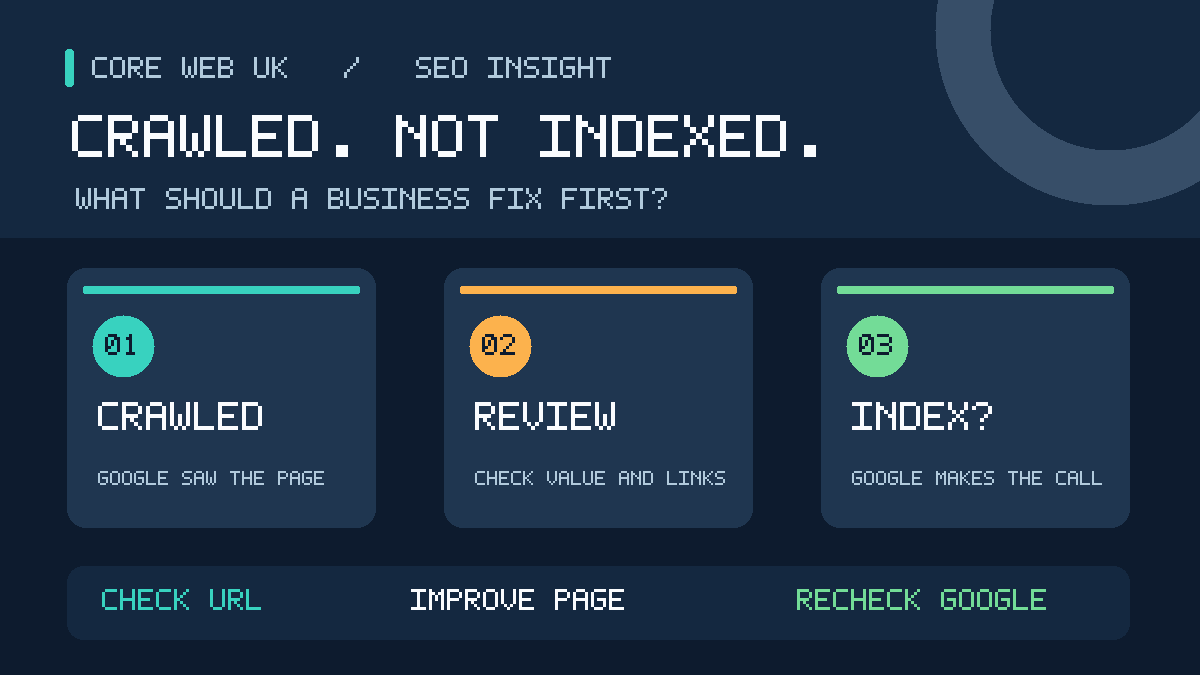
“Crawled – currently not indexed” means Google visited the page but has not added it to its search index. Google may index it later, but there is no guarantee. The message does not identify a single cause or mean your website has been penalised. Repeatedly requesting indexing of an unchanged page will not fix the underlying issue.
For a UK business, the important question is whether a valuable service, product or enquiry page is missing from Google. Many unindexed addresses are normal. Duplicates, expired pages, tracking URLs and filtered shop pages often do not need separate search listings.
This practical guide shows how to check the exact URL in Google Search Console, understand the possible reasons, improve useful pages and avoid damaging redirects, content or website settings. It is for business owners rather than developers.
How to fix “Crawled – currently not indexed”: start here
Do not request indexing again until you know whether the page deserves to be in search. First inspect its exact URL in Search Console. If the page is an important, public service, product or category page, check its current content, canonical URL, links and recent changes. If it is a duplicate, filter or obsolete address, exclusion may be the correct result.
- Choose the page: prioritise one URL that could bring a real enquiry or sale.
- Inspect the exact URL: check the indexed status, last crawl date and Google’s selected canonical in Search Console.
- Check its purpose: does it answer a different customer need from existing pages?
- Verify the live version: confirm it loads properly, can be crawled and is not unintentionally marked
noindex. - Improve weak or incomplete information: add real details customers need to choose, enquire or buy.
- Connect it to relevant pages: use normal descriptive links from service, category or related advice pages.
- Recheck after meaningful changes: note the date and allow Google time to recrawl. Indexing is not guaranteed.
If your homepage or several main service pages disappear together, investigate possible sitewide technical changes first. If only sorting or tracking URLs are excluded, there may be nothing to fix.
Which indexing problem should you fix first?
| Your situation | What to check first | Best next step |
|---|---|---|
| Main money page never indexed | Inspection, accessibility, content uniqueness, internal links | Correct any verified fault; improve genuine customer information |
| Previously indexed service page disappeared | Recent migration, edits, canonical, redirects, site-wide changes | Find the change and confirm which URL Google should use |
| Several nearly identical location pages excluded | Whether each area page adds real local value | Differentiate truthfully or consolidate overlapping pages |
| Hundreds of WooCommerce filter URLs excluded | Whether essential products and categories are indexed | Leave unnecessary filter variants excluded |
| New blog post recently crawled | Whether Google has seen its latest, final version | Allow reassessment; strengthen content only if it lacks value |
| Page is indexed but gets no clicks | Performance queries, rankings, title and search intent | Investigate visibility and relevance, not indexing |
What does “Crawled – currently not indexed” mean?
Googlebot fetched the URL and Google has not chosen to include that URL in its index at present. This is one of the reasons listed under Page indexing in Search Console. It can affect a brand-new page or an older URL that once appeared in Google.
Google’s official Page indexing report guidance says the page may or may not be indexed in future and that you do not need to resubmit it for crawling simply because of this status.
This is not a diagnosis. Google has not necessarily found a faulty plugin, poor writing, a slow server or a penalty. Those are possibilities to investigate separately. The status alone does not prove any one of them.
Crawled vs discovered vs indexed: the differences
| Status in Search Console | What has happened? | First sensible action |
|---|---|---|
| Crawled – currently not indexed | Google fetched the URL but has not indexed it | Inspect the URL; decide whether it matters to customers |
| Discovered – currently not indexed | Google found the URL but has not crawled it yet | Check discoverability and server accessibility |
| Page with redirect | The address leads somewhere else | Inspect the destination instead of forcing the old address into Google |
| Alternate page with canonical tag | A different URL is indicated as the preferred version | Confirm the intended version is indexed |
| Excluded by ‘noindex’ tag | The page asks search engines not to index it | Check whether that instruction is intentional |
| Indexed | Google includes the URL in its index | Investigate rankings and customer intent if it gets no visits |
When a page is already indexed but has no clicks, it needs a different investigation. Our explanation of websites indexed but not ranking covers that distinct problem.
Should you fix every URL that Google has not indexed?
No. Many excluded URLs have no useful role as separate search results. Google itself warns that website owners should not expect every page to be indexed. Focus on the pages that explain your real services or sell your products.
| Type of page | Business value | Priority |
|---|---|---|
| Homepage | Brand searches and first impressions | Very high if missing |
| Core service and quote pages | Calls, bookings and enquiries | Very high |
| Genuine location pages | Relevant local searches | High if distinct and useful |
| In-stock products and useful product categories | Purchases and product discovery | High |
| Supporting advice articles | Answers customers’ questions and supports services | Assess individually |
| Tag archives, sort orders and filter combinations | Often duplicate other addresses | Usually low |
| Old removed URLs | May have no current purpose | Confirm the correct redirect or removed status |
A 200-page business website with 30 excluded filters is not necessarily in trouble. A 10-page business website where the two main services are missing requires attention. The number alone is not a measure of SEO health.
How do I check whether a specific page is actually not indexed?
- Open the correct Google Search Console property for your website.
- Choose Indexing → Pages and find “Crawled – currently not indexed”.
- Review the affected URLs. The examples list may not contain every URL in that status.
- Copy an important page address and paste it into the URL Inspection bar.
- Read the reported indexing status, last crawl, page fetch information and canonical details.
- Use Test live URL when you need to know whether the page is currently accessible.
- Write down the date and result before changing anything.
For an individual page, Google’s URL Inspection tool is more useful than relying solely on the overall Page indexing chart. The report shows Google’s stored knowledge of a URL, while the live test checks present access.
Important: “URL is available to Google” from a live test does not mean it has been indexed. Nor does the live test predict the canonical that Google will finally select. A site: search is a rough discovery check, not a full substitute for URL Inspection.
Seven checks before you try to fix an unindexed page
1. Is the address current?
Check whether the exact URL is the page you still want customers to find. A redesign may have changed the slug. A migration may have replaced HTTP with HTTPS or changed the www version. You may have merged two services into one page.
Do not try to index an obsolete URL if a relevant current version replaces it. Check the destination and its canonical instead.
2. Does the page actually work for visitors?
Open it in a private browser window. Can customers see the promised service, prices or price factors, contact details and next steps? A blank layout, generic error message or badly rendered product information gives visitors little help, even if the URL returns a successful server status.
3. Is it allowed to be indexed?
Check the page’s indexability and any noindex setting. Remember that noindex and crawler blocks often have separate statuses. They are technical checks, not automatic explanations for every crawled-but-unindexed report. Do not remove restrictions from private account or payment pages.
4. Does Google prefer a different URL?
Inspect canonical information where available. Google may recognise two very similar addresses as versions of one page. The correct action can be to keep the intended canonical indexed, not to force both versions into search.
5. Does the content answer a clear customer need?
Ask what a person searching for this service expects to learn. A generic paragraph with no genuine detail is rarely as useful as clear information about the work, service boundaries, timescales, payment, safety and how to get a quote.
6. Can a visitor find the page through your website?
Check navigation and contextual links. If a useful service page exists only in an XML sitemap, customers may struggle to discover it. Add a descriptive link from a relevant parent page, not dozens of unrelated sitewide links.
7. Has Google seen the latest version?
Compare the Search Console last crawl date with the day you improved the page. If Google fetched it before the work, the stored report may not reflect your changes yet. A live test is not the same as a completed recrawl and indexing decision.
Why might Google crawl a page but leave it out?
Google does not disclose a specific reason for each URL in this category. These are sensible possibilities to check, not a claim that your website has any particular fault.
| Possible issue | Signs worth checking | What may help |
|---|---|---|
| Very similar pages | Same services, wording and headings across several URLs | Clarify purpose or consolidate unnecessary duplicates |
| Generic or incomplete content | Unanswered questions, missing service information or placeholder copy | Useful, verified business-specific details |
| Wrong search intent | Information page offered where the user expects to book or buy | Match the page format to the searcher’s task |
| Poor internal discovery | Important page has no contextual links from relevant pages | Clear navigation and meaningful internal links |
| Rendering problems | Main content missing from Google’s rendered view | Fix the actual rendering fault |
| Out-of-date report information | Last crawl occurred before significant fixes | Allow a recrawl; request it once if suitable |
| Duplicate or low-value URL variant | Tracking parameters, filters or archives | Confirm intended canonical and whether indexing is needed |
Google’s helpful-content documentation prioritises original, accurate information created for people. Adding words solely to make a page longer is not a reliable indexing fix.
How to improve an important page that Google has not indexed
The most useful work starts with the reason the page exists. Make the page valuable to customers before you ask Google to look again.
Step 1: Identify its one clear purpose
Write a one-sentence description of what the visitor should achieve. Examples include arranging an emergency lock repair, comparing commercial boiler servicing options or buying a tyre for a particular vehicle. If two of your pages fulfil exactly the same purpose, reconsider whether both need to exist.
Step 2: Compare current search results without copying
Search the main customer question in Google. Look at the top useful organic pages. What do they answer directly? Do they explain price, eligibility, process, availability, examples, service areas or delivery? Notice what they omit. Fill a genuine information gap using facts from your own business, not copied competitor paragraphs.
Step 3: Add real evidence and useful detail
Show genuine service photographs where suitable. Explain who the service is for, what is included, the area covered, realistic next steps and how the quotation works. State qualifications or guarantees only if you can verify them. Avoid invented reviews, fabricated client results or claims that cannot be supported.
Step 4: Handle overlapping pages carefully
Compare near-duplicates on your own website. When two pages target the same need, one stronger page may serve users better. If consolidating, plan relevant redirects rather than deleting material blindly. Do not redirect an unrelated page to the homepage merely to make the Search Console count smaller.
Step 5: Make it reachable and useful on mobile
Use sensible navigation and link it from a relevant service or category page. Add an appropriate quotation form, phone action or booking option. The service-page review can help when an important page exists but does not yet meet the visitor’s expectations.
Step 6: Check the technical basics
Confirm the public page loads, Google is allowed to access it, the intended version is canonical and the useful text can be rendered. Ask a developer to examine HTML, caching and JavaScript only when the evidence points there. You do not need to rebuild the website because one URL is excluded.
Step 7: Let Google reassess meaningful changes
After a significant improvement, review the URL through Search Console and consider a single indexing request. Google’s recrawl guidance says requests are limited, repeated requests for the same URL do not make crawling faster, and indexing is never guaranteed.
Location pages: why changing only the town name is risky
UK service businesses often create pages for Croydon, Bromley, Sutton, Wimbledon and other areas. Separate pages can be appropriate when each one reflects genuine local service details and answers distinct customer questions. Simply duplicating the same text and changing the location name offers little new value.
Consider a plumbing business. A Croydon page might explain authentic local coverage, emergency callout arrangements and types of work offered. A Bromley page should have genuine Bromley-specific information. Do not invent addresses, testimonials, jobs or opening hours in order to make each page appear different.
For some businesses, one strong South London service page with an honest area list may work better than a set of weak near-duplicates. Your local SEO strategy should reflect where you actually operate, not how many URLs you can manufacture.
Products, filters and category pages: not every URL needs its own listing
Shops generate addresses for colours, sizes, sort orders, tracking parameters and stock filters. A sorting variation may not deserve a separate result. An important in-stock product or category page may be much more valuable.
Check product descriptions, current stock, delivery information, pricing, photographs and internal navigation. If a variant points to the correct canonical product page, do not automatically treat it as a lost ranking opportunity.
Good ecommerce website design helps customers find products and purchase without having to search through near-identical filter pages.
WordPress and Rank Math indexing checks
If you use WordPress with Rank Math, the first check can often be completed without code:
- Open the affected page in WordPress. Confirm it is Published, not a draft or private page.
- In the page’s SEO settings, look at Robots Meta. Check whether
noindexwas applied intentionally. - Review the canonical setting. Does it represent the preferred public URL, or was another page intentionally chosen?
- Confirm the correct URL appears in the relevant XML sitemap if it is intended to be indexed.
- Open the public page in another browser and confirm the main content is actually visible.
- Use Search Console to inspect Google’s stored status and check whether Google has crawled the updated page.
A high Rank Math SEO score does not mean Google has indexed a page. The plugin helps you configure and assess content. Google’s index selection is a separate process. Do not change sitewide robots settings or remove redirects to chase a plugin score.
Is a sitemap enough to make Google index the page?
No. A sitemap is a discovery aid. It tells Google which URLs you consider important, but Google independently decides whether to crawl and index them. Keep it accurate and current. Avoid repeatedly submitting an unchanged sitemap as though each submission were a new vote for the page.
Should you keep pressing “Request indexing”?
No. If Google has already crawled an unchanged page, repeated requests rarely address the reason it remains unindexed. A request after substantial changes may be sensible. Then monitor the last crawl date and indexing status. There is no guaranteed deadline.
Can an unindexed page appear in Google AI Overviews?
Google states that, to appear as a supporting link in AI Overviews or AI Mode, a page must be indexed and eligible to appear in Search with a snippet. An unindexed URL is not eligible for that role.
Google’s AI features guidance says normal SEO best practices apply. There is no special AI Overview schema or guaranteed shortcut. Clear direct answers and trustworthy sources help readers, but do not guarantee an AI citation.
Worked example: a Croydon service page that is not indexed
Illustrative example, not a claimed client case or verified ranking result. A local heating company publishes a page for commercial boiler servicing in Croydon. Search Console reports that Google crawled it without indexing it. The owner wants to submit it every morning.
Instead, the owner checks if it differs meaningfully from the general boiler-repairs page. Does it explain commercial premises, the service process, covered locations, relevant qualifications and how a business books an inspection? Is there a contextual link from the main commercial heating page? Does the URL have the correct canonical and visible content?
If it adds nothing distinct, combining the material may be best. If it serves a different customer question, improving accurate details and discoverability may be justified. Either decision should be based on the real business, not on an assumed Google penalty.
Worked example: 200 unindexed shop URLs
Another illustrative example. A WooCommerce shop reports 200 non-indexed URLs. Most belong to filters and sorting parameters. Only ten are important, in-stock category pages.
The owner should not spend the budget trying to index all 200. First confirm that the ten useful categories have clear content, correct canonical URLs and visible links from the shop. Other variants may quite properly remain excluded. This produces a commercially useful work list rather than an alarming report total.
How long after a fix will Google index my page?
Google provides no fixed indexing timeframe. Recrawling can take days or weeks, while final indexing may take longer or may not happen. A new website can behave differently from an established one.
Record the date of your changes. Compare it with the URL Inspection last-crawl date. Wait until Google has seen the improved version before deciding that it made no difference. Do not rewrite the page repeatedly just because the indexing chart has not changed for a few days.
How to read the most useful URL Inspection fields
Search Console can save you hours of guesswork. Check these fields for each important affected URL. Its URL Inspection documentation explains the difference between Google’s stored information and the live test.
| Search Console field | What it tells you | What not to assume |
|---|---|---|
| Page indexing status | Google’s reported decision about the inspected URL | That every excluded page is faulty |
| Last crawl | When Google most recently fetched the URL in its stored report | That a recent edit has already been processed |
| Page fetch and crawl allowed | Whether the recorded crawl succeeded and access was permitted | That successful fetching guarantees indexing |
| User-declared canonical | The preferred URL signalled by the website, if available | That Google must follow the hint |
| Google-selected canonical | Which version Google selected where the report provides it | That all duplicate versions should be indexed |
| Test live URL | Whether the current page appears accessible to Google | That the live test proves index inclusion or final canonical choice |
Important: a successful live test is not a new indexing decision. Google’s own documentation notes that live inspection does not test every issue, including duplicate and canonical conditions. A missing or unavailable canonical field is not proof that your canonical is correct.
When should you merge, redirect or keep an excluded page?
Two pages about nearly identical services can compete for the same customer need, even when their wording differs. Before making changes, compare their intended audiences, actual services, locations and search results.
- Keep both if each serves a genuinely distinct purpose and offers useful, accurate information.
- Improve one if it has a valid separate purpose but lacks facts, examples or clear next steps.
- Consolidate if both pages do essentially the same job and one stronger page can serve users better.
- Redirect a removed URL only when there is a relevant replacement, and preserve valuable existing links where possible.
- Keep an intentional exclusion for unnecessary filters, duplicates or private pages.
A canonical tag is a signal, not an order. Google may choose a different version if other signals suggest it is more representative. Its canonicalisation documentation explains how redirects, internal links, sitemap URLs and canonical annotations influence that choice. Do not change a URL that already gets enquiries merely to tidy a report.
How can you tell whether your improvements worked?
Track two different outcomes: Google’s index decision and actual business results. If the URL becomes indexed, check whether the Search Console Performance report begins showing relevant impressions. If it ranks for the wrong queries or attracts no enquiries, the next job is content and conversion improvement—not another indexing request.
Maintain a short record for each page: exact URL, search intent, value to the business, original indexing status, last crawl date, changes made, date of the new crawl and later impressions. Review several weeks of evidence rather than changing the page daily.
If the problem affects many previously indexed URLs after a redesign, compare the before-and-after sitemap, redirects, canonical settings and server responses. This is a different priority from fixing a single new blog post.
A practical 30-day monitoring plan
| Period | What to do | What to record |
|---|---|---|
| Day 1 | Inspect the most important missing pages | URL, exact status, last crawl and canonical |
| Days 2–7 | Fix verified technical faults and improve genuinely weak content | Changes made and date |
| After meaningful changes | Check the sitemap and relevant links; request a recrawl if suitable | Request date and live accessibility |
| Weeks 2–4 | Review whether Google saw the updated version | New crawl date and index status |
| Following month | Assess search impressions and actual enquiries from indexed pages | Search Console results and business conversions |
This is a practical owner checklist, not a promised Google processing schedule.
When should you bring in an SEO specialist?
A specialist can help if commercially important pages remain excluded after you have checked their purpose and technical access, or when a migration or website redesign has affected many important URLs.
Ask for an evidence-based review. A useful brief includes the exact URLs, whether they were indexed before, any recent changes, customer value of those pages, Search Console screenshots and the expected business outcome. Request a clear list of proposed changes, not a promise of guaranteed indexing.
Use local SEO support in Croydon when the priority is restoring discoverability of real services and protecting enquiries. The point is to improve the pages customers need, not to make every excluded row turn green.
Frequently asked questions
Is “Crawled – currently not indexed” a penalty?
No. It is an indexing status, not a manual action. Look for separate security or manual action warnings if you suspect those problems.
Why is a 2,000-word article still not indexed?
Length alone does not make a page useful or unique. Review its purpose, originality, overlap with other content, actual demand, technical access and internal links.
Is “Discovered – currently not indexed” the same thing?
No. “Discovered” means Google knows the URL but has not fetched it. “Crawled” means Google fetched it but has not indexed it. The checks differ.
Will resubmitting my sitemap every day help?
No. A correct sitemap helps discovery, but repeated submission of an unchanged file is not a reliable indexing tactic.
Does “URL is available to Google” mean I fixed it?
No. A successful live test confirms current access. It does not mean the page was selected for the index. Recheck the stored inspection report after a recrawl.
Can a page move out of the index after ranking?
Yes. Prioritise a previously valuable service page that disappears. Compare recent content, URL, redirect, canonical, access and site changes.
Does adding schema force Google to index a page?
No. Appropriate structured data can help describe content, but it is not an instruction that guarantees indexing.
Can I pay Google for organic indexing?
No. Normal organic inclusion cannot be purchased. Google Ads is a separate service and does not guarantee an organic search listing.
Should I create dozens of town pages?
Only when each has a genuine, useful purpose for customers. Swapping location names in otherwise identical pages is not a reliable growth strategy.
Focus on pages that bring customers
The most effective response to “Crawled – currently not indexed” is to inspect the correct pages, diagnose rather than guess, and improve what genuinely helps visitors. Some URLs should stay excluded. Others deserve attention because customers rely on them to find your services.
If you need a clear decision on the pages that matter, request a website audit or send the affected URLs through the project enquiry form. Share the evidence from Search Console rather than passwords, and keep existing working URLs intact until there is a justified reason to change them.
