
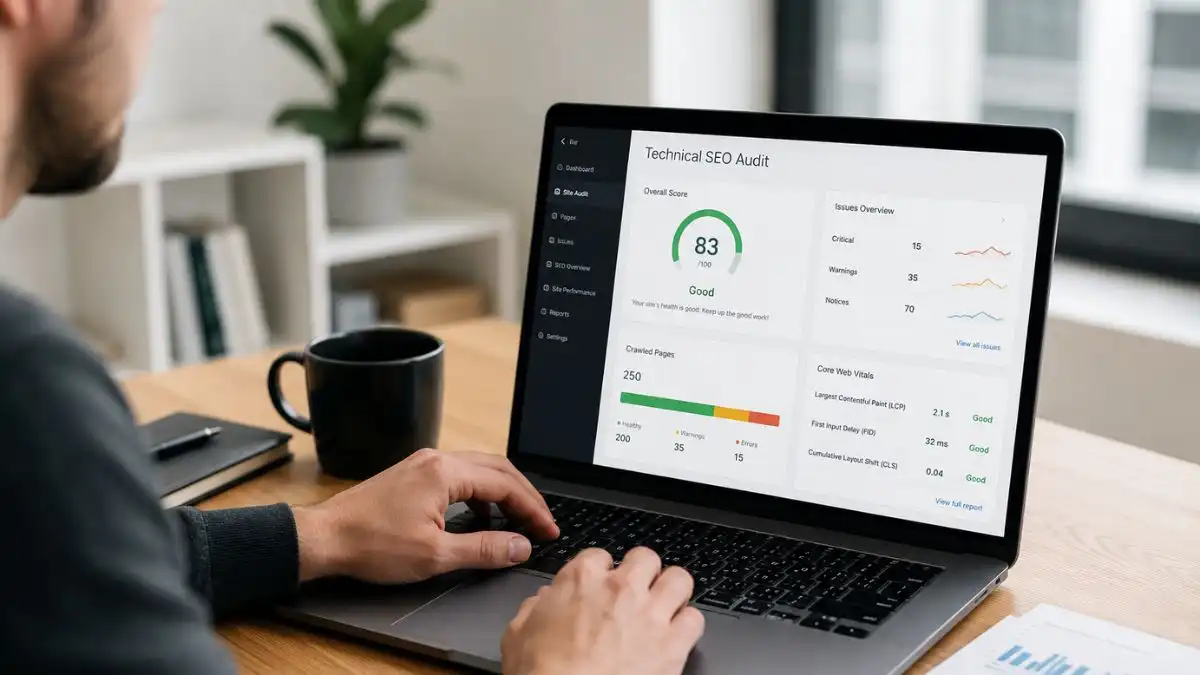
Technical SEO for a small-business website should not begin with a crawler exporting 600 warnings and colouring half of them red.
It should begin with a much simpler question: can Google reach the pages that matter, understand which URLs are the real versions, render the content properly and follow a clear site structure to the services the business actually wants to sell?
For a 20-page local service website, a site-wide noindex mistake is urgent. A broken canonical on the main service page is urgent. A redesign that removed redirects is urgent. Twenty images missing optional metadata are not in the same category.
This checklist is ordered by impact. Fix the things that can stop important pages being discovered or indexed first, then move into architecture, performance, structured data and lower-priority refinement.
The technical SEO checks that matter most
Confirm the right pages can be crawled and indexed, remove accidental blocks, make each important URL resolve to one preferred version, fix broken internal paths, test mobile rendering and performance, then verify structured data and measurement. Everything else comes after those foundations.
Before the checklist: define the pages that matter
A technical audit is much more useful when it starts with a business inventory rather than the whole URL count.
List the pages responsible for enquiries, sales or strategic visibility:
- homepage;
- main service pages;
- important location pages;
- contact or booking pages;
- high-value product or category pages;
- guides that already attract meaningful search traffic;
- pages with valuable backlinks.
These are your priority URLs. A problem affecting one of them deserves more attention than the same problem on an unused tag archive.
Priority 1: can search engines access the site?
1. Confirm the website returns normal HTTP responses
Open the homepage and several important pages. They should normally return HTTP 200 when available.
Investigate:
- 5xx server errors;
- unexpected 403 responses;
- redirect loops;
- pages returning 404 when they should exist;
- soft 404s where an error page returns 200.
If the site is intermittently unavailable, fix reliability before chasing smaller SEO improvements. The broader website troubleshooting process helps separate hosting, DNS, WordPress and application failures.
2. Check robots.txt for accidental blocks
Robots.txt can prevent crawlers accessing sections of a website, but it should not be used casually as an indexing control.
Look for rules blocking:
- service pages;
- location pages;
- CSS or JavaScript required for rendering;
- important directories after a redesign;
- the entire site.
A staging rule copied to production can suppress a website in seconds.
3. Check for accidental noindex directives
For WordPress sites, this is one of the first checks after a launch or redesign.
Inspect important URLs for:
noindexmeta robots;- HTTP
X-Robots-Tagheaders; - WordPress’s “Discourage search engines” setting;
- SEO-plugin template rules affecting whole post types.
If a page is intentionally noindex, document why. Accidental noindex is one of the few technical faults that can directly remove a useful page from search.
4. Verify the preferred HTTPS hostname
A business website should resolve consistently to one preferred version.
Check:
http://example.com;http://www.example.com;https://example.com;https://www.example.com.
Non-preferred variants should normally redirect cleanly to the canonical HTTPS version without unnecessary chains.
Priority 2: is Google indexing the correct URLs?
5. Use Search Console URL Inspection on priority pages
Do not rely only on a site: search.
For important URLs, inspect:
- whether Google has indexed the page;
- the user-declared canonical;
- Google’s selected canonical;
- last crawl date;
- crawl availability;
- indexing exclusions.
If Search Console itself has a known reporting issue, confirm that before making large changes. Core Web UK has covered cases where a Search Console indexing reporting bug created misleading data.
6. Compare indexed pages with the pages you actually want indexed
More indexed URLs are not automatically better.
Look for index bloat from:
- tag archives;
- thin author archives;
- internal search pages;
- filter URLs;
- parameter variants;
- test pages;
- duplicate attachment pages;
- old staging URLs.
The goal is a clean set of useful canonical pages, not the highest possible index count.
7. Investigate important pages that are indexed but still not visible
Indexing and ranking are separate problems.
If Search Console confirms the right URL is indexed but it still does not rank, move from technical eligibility into intent, content quality, internal support, authority and competition. The diagnostic process in why a website can be indexed but not ranking is designed for that next stage.
Priority 3: are canonical signals consistent?
8. Check self-referencing canonicals on primary pages
Important standalone pages should usually canonicalise to their own preferred URL.
Watch for:
- service pages canonicalising to the homepage;
- live pages canonicalising to staging;
- HTTP canonicals on HTTPS pages;
- old-domain canonicals after migration;
- template bugs making every page canonicalise to the same URL.
9. Reconcile redirects, canonicals and internal links
These signals should tell the same story.
If URL A redirects to URL B, but URL B canonicals back to URL A, the site is sending contradictory instructions.
For a permanent move:
- redirect the old URL to the new one;
- canonicalise the new page to itself;
- update internal links to point directly to the new URL;
- put the final URL in the XML sitemap.
10. Remove unnecessary redirect chains
Old URL → intermediate URL → final URL is rarely desirable when you control the rules.
Update the original redirect to point directly to the final destination.
Priority 4: is the XML sitemap useful?
11. Check the sitemap contains only canonical, indexable URLs
A sitemap is not a dumping ground for everything WordPress can generate.
Exclude:
- redirected URLs;
- 404s;
- noindex pages;
- duplicate parameter versions;
- staging URLs;
- pages intentionally excluded from search.
12. Submit the sitemap in Search Console and inspect the result
Look for unexpected discovery or indexing patterns rather than treating “sitemap submitted successfully” as the end of the job.
Priority 5: can crawlers and users reach important pages through internal links?
13. Find orphaned or weakly linked pages
A page in the sitemap but nowhere in the site architecture is technically discoverable and strategically weak.
Important commercial pages should normally receive contextual links from relevant places such as:
- navigation;
- service hubs;
- homepage sections;
- related guides;
- location pages;
- case studies.
14. Keep crawl depth sensible
There is no universal “three-click rule”, but commercially important content should not be buried behind layers of archives or filters.
15. Fix broken internal links
Broken links frustrate users and waste internal-link opportunities.
Prioritise broken links inside:
- navigation;
- high-traffic pages;
- service pages;
- important blog hubs;
- conversion paths.
16. Use natural descriptive anchors
The anchor should describe what the linked page is about in the context of the sentence.
Avoid repetitive exact-match linking simply to hit a keyword target.
Priority 6: check mobile rendering, not just “mobile-friendly” labels
17. Open the real site on a phone
Check:
- menu;
- headings;
- forms;
- tap targets;
- sticky bars;
- cookie banners;
- tables;
- images;
- pop-ups;
- horizontal overflow.
Google primarily evaluates the mobile version of content, so important information should not disappear on smaller screens.
18. Compare mobile and desktop content parity
If desktop shows full service details while mobile hides large sections to create a cleaner layout, the site may be presenting materially different information.
19. Check JavaScript rendering
Sites built with page builders or JavaScript frameworks should be inspected in their rendered state.
Look for content or links that appear only after interactions or fail when scripts error.
Priority 7: fix performance problems that affect real visitors
20. Measure Core Web Vitals properly
The current Core Web Vitals are:
- LCP — loading performance;
- INP — responsiveness;
- CLS — visual stability.
Use field data where available and lab tools to diagnose causes.
Do not treat a Lighthouse score of 100 as a ranking guarantee.
21. Find the largest practical bottlenecks first
For small-business sites these are often:
- oversized hero images;
- too many font files;
- heavy page-builder assets;
- third-party chat and marketing scripts;
- poor hosting response time;
- uncached dynamic work;
- layout shifts from images or widgets without reserved space.
The commercial effect of poor performance is covered more deeply in why website speed matters.
22. Test representative templates
Do not test only the homepage.
Check:
- service page;
- blog post;
- location page;
- product/category where relevant;
- checkout or booking flow where relevant.
Priority 8: check site architecture and duplicate intent
23. Make sure important services have clear destinations
One generic Services page can be too broad when customers search for distinct services independently.
On the other hand, creating one page for every synonym produces thin duplication.
Map pages to genuine search and customer intents.
24. Check location pages for near-duplication
Town pages should contain meaningful local evidence rather than only changing the place name.
25. Check category, tag and archive duplication
WordPress can generate multiple archive paths to the same underlying content. Decide which archive types serve a real user or SEO purpose.
26. Audit pagination and filters where relevant
Large ecommerce or publishing sites may need careful control of faceted URLs, filters and crawlable combinations. Most small brochure sites do not need enterprise faceted-navigation engineering.
This is one reason technical SEO advice must match the size and type of website.
Priority 9: titles, headings and metadata
27. Give every important page a clear unique title
A title should explain the page’s actual search role.
Look for:
- duplicate titles;
- boilerplate titles with no service context;
- titles targeting a different intent from the page;
- old branding after a rebrand.
28. Check the H1 and page structure
Use one clear main page heading and a logical hierarchy below it.
Do not chase heading numbers mechanically when the real problem is weak content structure.
29. Treat meta descriptions as click-supporting copy
Descriptions are not a direct ranking lever, but useful descriptions can help searchers understand why the result is relevant.
Priority 10: structured data
30. Use schema only where it describes visible reality
Common useful types can include:
- Organization;
- LocalBusiness;
- BreadcrumbList;
- Product;
- Article.
Do not add schema types simply because an SEO plugin offers them.
31. Validate important markup
Check for missing required properties, duplicate entities or template markup describing the wrong business.
32. Do not confuse valid schema with guaranteed rich results
Structured data helps search engines understand content and may make a page eligible for certain search features. Eligibility does not guarantee display.
Priority 11: HTTPS, security and maintenance
33. Confirm SSL is valid and renewed automatically
Security warnings can stop customers and crawlers reaching pages normally.
34. Keep WordPress, plugins and themes maintained
Technical SEO depends on a functioning website.
Outdated software can create security, compatibility and performance problems. The consequences of neglect are covered in what happens when WordPress is not maintained.
35. Remove abandoned components
Unused plugins, themes and scripts increase maintenance surface without adding business value.
A structured WordPress maintenance checklist helps keep the technical foundation stable after the audit.
Priority 12: server and crawl reliability
36. Review recurring 5xx errors
Intermittent server failures can damage user experience and prevent crawling even when the site is available during your manual check.
37. Monitor uptime
A site that disappears for short periods repeatedly can be harder to diagnose than one obvious outage.
38. Check DNS and redirect consistency after migrations
Old origins, stale IPv6 records and inconsistent proxies can cause some users or crawlers to reach a different version of the site.
Priority 13: image and media hygiene
39. Use appropriately sized images
Do not serve a 4000-pixel photograph inside a 300-pixel card.
40. Use descriptive alt text where the image carries meaning
Alt text exists primarily for accessibility. Describe useful visual content accurately rather than stuffing keywords into every image.
41. Check broken image and document URLs
PDFs and media assets can have their own links and search value, particularly after migrations.
Priority 14: consent and analytics should not break the site
42. Check consent scripts do not block essential functionality
A consent implementation should not prevent navigation, forms, checkout or essential site functionality.
43. Verify analytics after technical changes
A traffic drop caused by missing analytics code is a measurement problem, not an SEO loss.
44. Track conversions, not just sessions
Technical SEO improvements should ultimately support enquiries, bookings or sales.
Priority 15: use logs and advanced checks only when they answer a real question
45. Log-file analysis can help larger or problematic sites
Server logs can show how crawlers actually request URLs, where crawl waste occurs and whether important pages are being revisited.
Most small sites do not need log analysis every month. Use it when crawl behaviour, scale or a migration creates a question that ordinary tools cannot answer.
46. Hreflang matters only for genuine international targeting
A UK-only local business does not need hreflang.
International sites do need reciprocal, valid annotations pointing at canonical URLs.
Free tools that cover most small-business technical SEO
| Tool | Best use |
|---|---|
| Google Search Console | Indexing, queries, sitemaps, Core Web Vitals, security/manual-action signals |
| PageSpeed Insights | Field/lab performance diagnosis |
| Chrome DevTools | Network, console, rendering and layout issues |
| Screaming Frog free version | Crawling smaller sites for status, canonicals, metadata, links and directives |
| Bing Webmaster Tools | Additional crawl/indexing and backlink perspective |
You do not need six paid SEO platforms to detect whether a 30-page business website has blocked its main service section.
A pass/fail technical SEO audit for a small business
| Audit item | Pass when… | Priority if failed |
|---|---|---|
| Important pages accessible | Return expected 200 responses | Critical |
| Indexability | No accidental noindex/blocking | Critical |
| Canonicalisation | Preferred URLs are consistent | High |
| Redirects | Permanent moves reach relevant final URLs directly | High |
| Internal links | Important pages are reachable and supported | High |
| Sitemap | Contains canonical indexable URLs only | High |
| Mobile rendering | Important content/functions work on real phones | High |
| Core Web Vitals | No serious user-experience bottleneck | Medium–High |
| Structured data | Accurate, valid and relevant | Medium |
| Metadata | Priority pages have clear unique titles | Medium |
| Minor crawler warnings | Reviewed in business context | Low unless tied to important pages |
Do not fix technical SEO by tool severity alone
Audit software often labels issues “critical”, “error” or “warning” according to generic rules.
Prioritise by:
- Does it stop crawling or indexing?
- Does it affect a commercially important page?
- Does it create conflicting URL signals?
- Does it break the customer journey?
- Does it materially hurt real performance?
- How many useful pages are affected?
A single noindex on a £20,000-a-month service page matters more than 200 cosmetic warnings on archive pages.
How often should a small business run a technical SEO audit?
A full crawl every day is unnecessary for most small sites.
A practical approach:
- continuous: uptime, security and Search Console alerts;
- monthly: review priority-page indexing, errors and site changes;
- quarterly: structured technical crawl and performance review;
- event-based: always audit after migrations, redesigns, domain changes and major platform work.
When should you call a developer or technical SEO specialist?
Get specialist help when the issue involves:
- server configuration;
- large migrations;
- JavaScript rendering;
- complex ecommerce filters;
- international architecture;
- persistent indexation/canonical problems;
- site-wide performance bottlenecks;
- large-scale redirect mapping.
For broader diagnosis and implementation, Core Web UK’s SEO services for UK businesses focus on the technical problems that actually affect useful pages rather than chasing an audit score.
Frequently asked questions
What is the most important technical SEO check?
Confirm that important pages are crawlable and indexable and that Google is selecting the intended canonical URL. If that foundation fails, smaller optimisations cannot compensate.
Do small businesses need technical SEO?
Yes, but usually at a much simpler scale than enterprise ecommerce sites. Small businesses benefit most from removing blocks, duplicates, broken internal paths, migration errors and serious performance problems.
Do I need a paid technical SEO tool?
No. Search Console, browser developer tools, PageSpeed Insights and a small-site crawler can identify many high-impact problems.
Can technical SEO alone make a page rank?
No. Technical SEO makes useful content eligible and understandable. Ranking also depends on search intent, content quality, authority, local relevance and competition.
How long does a technical SEO audit take?
A small 10–50 page business site can often be triaged in a few hours. Larger ecommerce, international or heavily customised sites need more time and deeper data.
Should every audit warning be fixed?
No. Fix issues according to business and search impact, not simply because software labels them as errors.
Make sure search engines can reach the right pages, understand the preferred URLs and render a usable site. Once those foundations pass, spend time on the refinements that can genuinely improve the business rather than the audit score.
Technical SEO at launch and during migration
A clean audit before launch does not guarantee the production deployment stays clean. The website launch checklist repeats the critical crawl, redirect, analytics and customer-journey checks on the live domain.
When URLs, platform or domain are changing, the work expands into a full website migration SEO checklist covering baselines, redirect mapping, staging, rollback and post-launch monitoring.
