
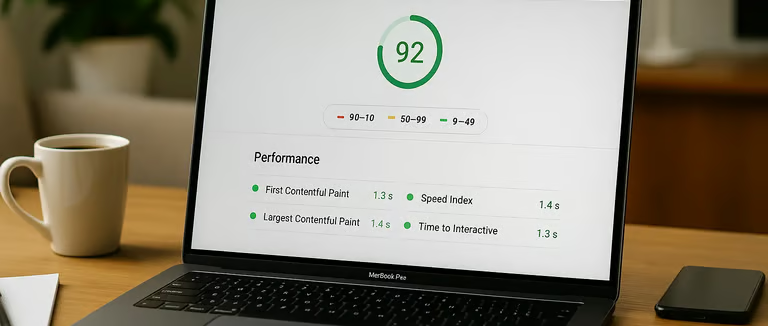
The best way to assess a UK web designer is to check evidence rather than promises. Their own website can be useful evidence, but it should be one part of the decision alongside live client work, communication, scope, ownership and support.
This guide gives you a practical checklist without assuming that one PageSpeed score, one ranking or one design style proves whether a supplier is good or bad.
1. Check whether their own website is clear
Can you understand what they offer, who they work with and how to contact them without hunting around? Clear communication is a useful sign because the same skill matters on client websites.
2. Test the mobile experience
Open the site on your phone and check menus, buttons, forms, text size and layout stability. A visually impressive desktop design is not enough if the mobile experience is awkward.
3. Use PageSpeed Insights as a diagnostic, not a pass/fail exam
PageSpeed Insights and Core Web Vitals can reveal performance problems, but a single Lighthouse score does not prove the quality of an agency. Results vary by page, device and test conditions.
Look for real problems such as slow main content, delayed interactions and layout shifts. Our guide to website speed and Core Web Vitals explains the difference.
4. Visit live portfolio sites
Screenshots show design but not how the finished site behaves. Visit several real client websites, like the live sites in our portfolio, and check:
- mobile usability;
- navigation;
- forms and contact paths;
- page clarity;
- performance;
- whether the work is still live and maintained.
Also ask what part of each project the supplier actually handled. A portfolio can involve design, development, SEO, content or only one of those.
5. Ask how they approach SEO
“SEO-friendly” is too vague on its own. Ask what is included: page structure, titles, internal links, redirects, schema where appropriate, Search Console setup or migration work.
No web designer can guarantee Google rankings. Rankings depend on many factors beyond the build itself.
6. Check content quality
Read the supplier’s service pages. Are they specific and useful, or mostly generic claims? Good content should make the service easier to understand rather than simply sound impressive.
7. Ask about hosting and ownership
Find out who owns the domain, hosting account, WordPress admin, premium licences and analytics accounts. You should know what happens if you change supplier later.
Cheap hosting is not automatically bad and expensive hosting is not automatically good. What matters is whether it is appropriate for the site’s traffic and functionality.
8. Compare the scope, not just the price
Two quotes can differ because one includes content, SEO migration, integrations, testing and support while another includes only design and build.
Ask for a clear breakdown of pages, functionality, revisions, launch, support and ongoing costs.
9. Check communication before you hire
Notice whether questions are answered clearly, timelines are realistic and limitations are explained. A supplier who is specific before the project is easier to evaluate than one relying on broad promises.
10. Look for support arrangements
Ask what happens after launch. Who handles updates, backups, security and urgent problems? Is there a handover period? Is maintenance optional or required?
11. Do not judge an agency by client rankings alone
A client’s Google position can be influenced by content, competition, links, business location, reviews, technical history and work carried out after the website launch. Ranking checks can provide context, but they are not a fair standalone test of the designer.
12. Red flags worth investigating
- Guaranteed rankings
- No clear ownership terms
- Portfolio sites you cannot visit
- Unclear recurring costs
- No backup or launch process
- Pressure to sign before scope is clear
- Claims that cannot be explained or evidenced
Questions to ask before signing
- Who owns the website and domain?
- What pages and functionality are included?
- Who writes and uploads the content?
- What SEO work is included?
- How are redirects handled if URLs change?
- What testing happens before launch?
- What support is included afterwards?
- What ongoing costs should I expect?
If you are deciding between supplier types, see our agency vs freelance web designer comparison.
Final takeaway
A supplier’s own website is useful evidence, but it is not the whole test. Check live work, ask precise questions, compare like-for-like scope and avoid anyone promising outcomes they cannot control.
What should you check on a web designer’s own website?
A designer’s website can give you useful clues about how they work. Look beyond the visual style and check whether the site is clear, fast and easy to use.
Then compare that with real client websites rather than judging from one homepage alone.
- Test the site on mobile.
- Check contact forms and navigation.
- Visit live client examples.
- Look for clear information about support and ownership.
Accessibility is now a baseline design standard, not an optional extra
Modern web design should account for readable contrast, keyboard access, visible focus, usable forms, meaningful links and layouts that reflow properly. These are not just compliance concerns; they improve clarity for ordinary users too.
Standards a client should be able to test themselves
- Can the site be navigated with a keyboard?
- Can text be enlarged without breaking the layout?
- Are links understandable in context?
- Do forms have clear labels and error messages?
- Does content reflow on a narrow screen?
- Is colour contrast strong enough to read comfortably?
Performance is a design decision
Page speed is not something to optimise only after the design is finished. Huge hero videos, multiple font families, heavy animation and unnecessary third-party scripts are design choices that directly affect performance.
Maintainability is also part of professional quality
A technically impressive site is still poor value if the client cannot update routine content, does not control the domain, or depends on undocumented custom code that only one developer understands.
